
What Withings data Claude and ChatGPT can actually see
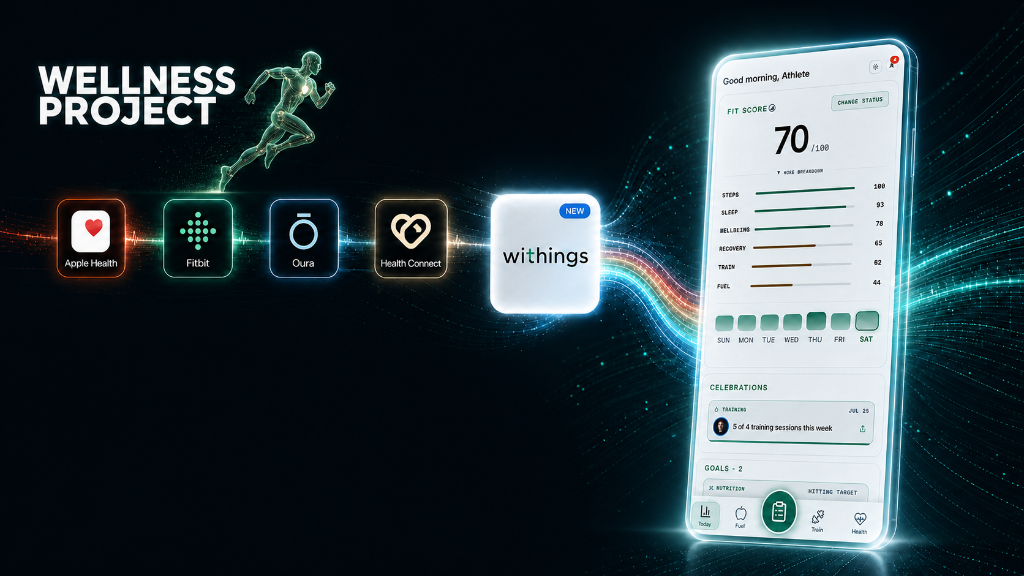
Withings has no direct connection to Claude or ChatGPT. Its data reaches AI through Wellness Project's direct, native integration with the Withings API. You no longer need to route your data through your phone's Apple Health or Google Health Connect hub. Once you connect your Withings account natively, Wellness Project has the same visibility into a Withings reading that it has into any other connected device.
The specific metrics that flow through are the ones a Withings Body+, Body Cardio, or Body Scan scale measures: weight, body fat percentage, muscle mass, bone mass, hydration percentage, and visceral fat rating. From a Withings watch or Sleep Mat, it's sleep score, sleep stages, overnight resting heart rate, and steps. Every one of those readings carries its own timestamp, so what reaches Claude or ChatGPT is a real history, dozens or hundreds of dated data points, not a single snapshot pulled the moment you ask. Blood pressure readings from a Withings BPM device are not part of the native sync today.
That distinction matters more than it sounds. A single weight reading tells you almost nothing on its own, weight can swing 2 to 4 pounds in a day from water and food alone. A timestamped series going back weeks or months is what lets an AI compute an actual rate of change, spot a plateau, or separate a real trend from ordinary daily noise, which is exactly the kind of question a single-number app view can't answer.
Connect Withings, then start asking
Your setup screen may look different.
AI assistants change their settings and navigation frequently. Menu names and steps can vary by web, desktop, or mobile client, device and operating system, plan, account type, version, and staged rollout. Treat the instructions on this page as a current guide and look for the equivalent Apps, Connectors, Plugins, or MCP controls if your version differs.
Connect Withings natively
Follow the Withings connect guide to link your Withings account directly to Wellness Project via our native integration. No need to go through your phone app.
Add the Wellness Project MCP server to Claude, or connect ChatGPT
In Claude, add the Wellness Project MCP server so it can query your data directly. In ChatGPT, connect your Wellness Project account the same way you would any other connector. Either way, your Withings weight, body composition, and sleep become part of what the AI can see.
Ask a real question about your weight or sleep
Start with something specific: how has my weight actually trended this month, is my sleep score lower on heavy training days, or has my body fat percentage moved since I started logging meals. The AI answers from your real Withings history, not a generic estimate.
Example prompts to ask about weight and body composition
"What's my real weekly rate of weight change over the last month?" returns an actual number, something like a 0.6 pound per week loss, computed from the logged readings, not a chart you have to eyeball and average yourself.
"Why did my weight plateau the last two weeks?" is a question the Withings app alone can't answer, but Wellness Project can point to a specific cause, for example lower logged protein intake or fewer completed workouts during that same window, because the weight data sits next to your meal and training logs in one history.
"How has my body fat percentage moved over the last three months?" gets a start-to-end comparison plus the trajectory in between, useful during a cut or a lean bulk when the scale weight alone is a noisy signal. "Is my day-to-day weight bounce normal, or is something actually changing?" is where the AI separates the 2 to 4 pound daily swing that comes from water and food from a genuine shift in body composition, using the trend across weeks rather than any single reading.
"Has my muscle mass changed since I started strength training three months ago?" pulls the muscle mass series from your Body+ or Body Cardio scale alongside your logged workout history to answer with an actual delta, not a guess. If that question is the one you actually care about, the AI Strength Training Plan guide covers how the same coaching layer builds and adjusts a program around what your logged sets and Withings body composition numbers are actually showing.
Example prompts to ask about sleep
"How has my sleep score trended over the last month?" returns the actual movement in your nightly score, called out against your own typical range rather than a population-wide guideline.
"Is my sleep worse on days I train hard versus rest days?" and "Does my overnight resting heart rate run higher after a heavy training week?" both require joining Withings sleep readings against training load, which is exactly the kind of cross-domain question a single-metric app view isn't built to answer but a unified history handles directly.
"Are my recent sleep stages outside my normal range?" should get an answer anchored to your own logged history, not a generic clinical cutoff, and if there simply isn't enough logged data yet to say anything meaningful, the honest answer is that there isn't enough history, not a guess dressed up as one.
Why ask instead of just opening the Withings app
The Withings app is built to show one metric on one device at a time: today's weight, or last night's sleep score, viewed in isolation. Asking Claude or ChatGPT instead means one thread can hold a weight trend next to what you've logged for meals that same week, or sleep next to training load, without exporting a CSV or switching between apps to line the numbers up yourself.
That cross-domain view, not the Withings numbers by themselves, is the actual upgrade. The scale and the watch already measure accurately. What they can't do is connect what they measured to everything else you logged that same week.
If weight loss is the actual goal behind watching that trend line, the same unified history is what the AI Weight Loss Coach draws on, using your Withings readings alongside logged meals and training to adjust targets instead of leaving you to interpret the trend yourself.
Ask AI about your Withings data today
Connect your Withings scale, watch, or sleep mat and start asking Claude or ChatGPT plain-language questions about your weight, body composition, and sleep. the app has Free Basic, with Founder Pro at $4.99/month through October 15 on iOS, Android, and web.