FoodNoms for Android
FoodNoms isn't coming to Android. Your macros can still travel.
FoodNoms is an iPhone, iPad, Mac and Apple Watch nutrition tracker with no Android version, no beta and no web app. Wellness Project runs natively on Android and logs meals by barcode scan, label scan, photo or manual entry, with macros and other nutrients tracked alongside your training and recovery.
Available on Google Play
FoodNoms Android status
Is FoodNoms available on Android?
No. As of September 27, 2026, FoodNoms is built by Ryan Ashcraft's Algebraic Labs, LLC and runs on iPhone, iPad, Mac and Apple Watch. There is no Android app, no Android beta and no web version.
FoodNoms's own marketing site states it plainly: 'FoodNoms will never work on Android or in a browser. That's not a bug, that's the design.' The FoodNoms help center's dedicated Android FAQ page confirms an Android version is not being built, so a Health Connect sync or an exported CSV does not give you a way to run the app itself on an Android phone.
Which FoodNoms this page is about
This page is about FoodNoms, the nutrition and macro tracker from Ryan Ashcraft's Algebraic Labs, LLC. Google Play has a few unrelated apps with a similar name: Noms - Daily Food Diary & Log is a calendar-style food diary app, NomNoms is a food delivery app for Gibraltar, and Nom Noms World Food is a food-and-travel themed app. None of them are built by Algebraic Labs.
If you're looking for the barcode-scanning, gram-based macro tracker that syncs with Apple Health, that's FoodNoms, and it stays an iPhone, iPad, Mac and Apple Watch app. Wellness Project is the Android option for that same kind of macro and micronutrient tracking.
What FoodNoms does, and why Android users go looking for it
FoodNoms is a nutrition and macro tracker built around fast, accurate logging: free barcode scanning for packaged foods, a nutrition label photo scan that reads a label to log it accurately, and gram-based macro and nutrient goals across 44 tracked nutrients. A custom Insights dashboard covers calorie balance, macros, active energy and individual nutrients, and an Ask AI feature answers nutrition questions inside the app.
It syncs two-way with Apple Health, reading and writing nutrition data, and it encrypts the food log, library, meal types and goals with iCloud so the same account carries over between iPhone, iPad, Mac and Apple Watch. A Shortcuts integration lets a routine log a meal without opening the app.
People search for FoodNoms on Android after switching phones and wanting the same barcode and label scanning and the same Apple Health-tied macro history, or after a friend recommends it before realizing it never left Apple's platforms.
SIDE BY SIDE
FoodNoms vs. Wellness Project for Android
FoodNoms is a nutrition and macro tracker built specifically for Apple's own devices. Here is what an Android user can actually use today.
| Feature | FoodNoms | Wellness Project |
|---|---|---|
| Native Android app | Not available | Available |
| Google Play | No Google Play listing | Available on Google Play |
| Food logging methods | Barcode scan, nutrition label photo scan and manual entry, iPhone only | Log by chat, manual entry, meal photo, barcode scan or nutrition label scan |
| Micronutrient tracking | Gram-based goals across 44 tracked nutrients | Calories, protein, carbs, fat, fiber and alcohol tracked with every meal |
| Insights dashboard | Custom Insights dashboard for calorie balance, macros, active energy and nutrients | Maintenance, estimated TDEE and calorie balance alongside training and sleep |
| Apple Health sync | Two-way sync, reads and writes nutrition data, iPhone only | Syncs both ways with Apple Health or Health Connect, whichever the phone uses |
| In-app AI | Ask AI feature for nutrition questions inside the app | Casey Mills, the AI dietary advisor, reads meals with your history |
| Cross-device sync | iCloud-encrypted sync across iPhone, iPad, Mac and Apple Watch | A Wellness Project account syncs the same history across iPhone, Android and web |
| Data export | Exports the food log to CSV and a full account data export in Settings | CSV import from other trackers, plus Export All My Data in Settings |
| iPhone availability | Available | Available |
Bring your health data together on Android.
Health Connect, workouts, nutrition, body composition and AI guidance in one connected Wellness Project profile.
What Android users can use instead for macro tracking
FoodNoms's logging speed and macro focus are specific to FoodNoms. Here is the closest match on Wellness Project for Android.
Barcode and label scanning
Log a meal by barcode scan, nutrition label scan, meal photo or manual entry, the same fast paths FoodNoms is built around.
See nutrition tracking →Macro tracking with meals
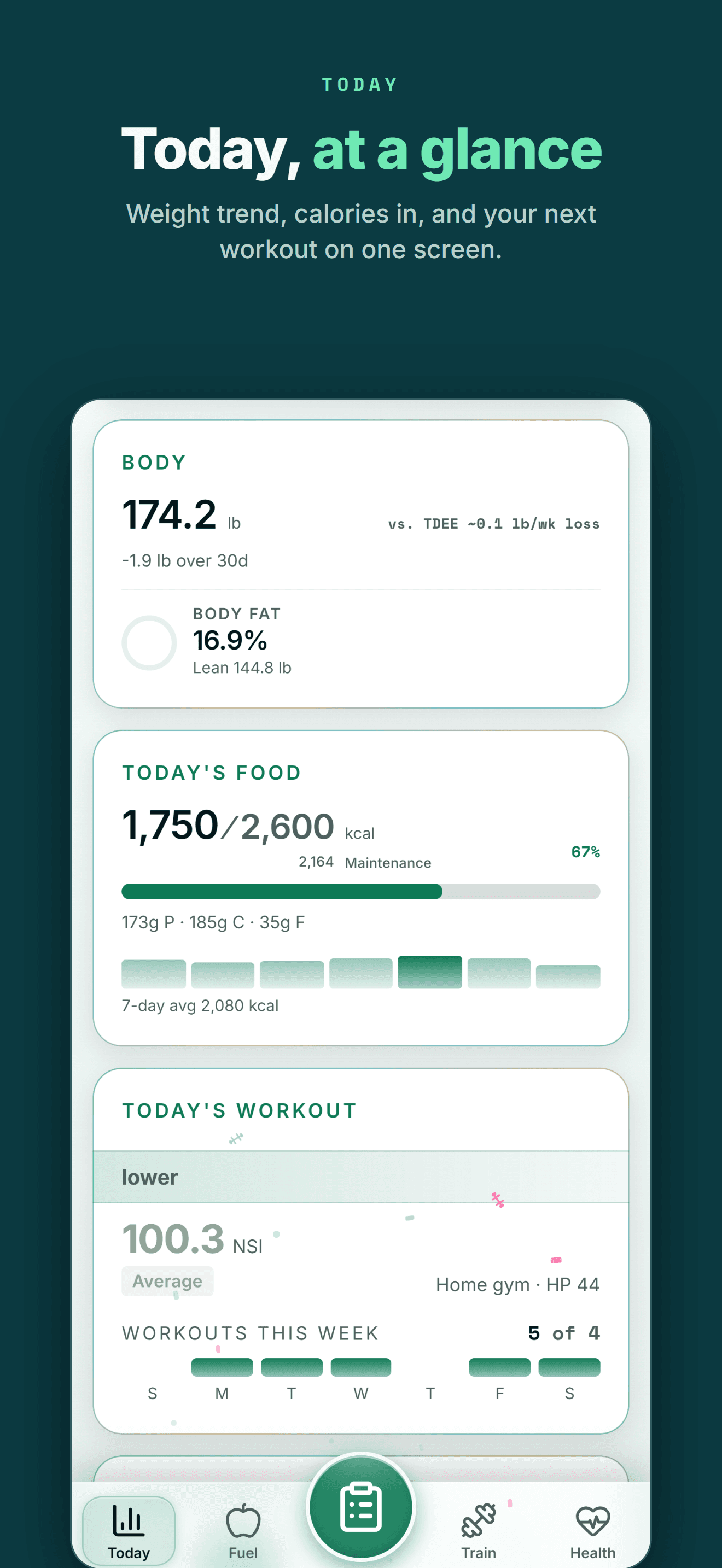
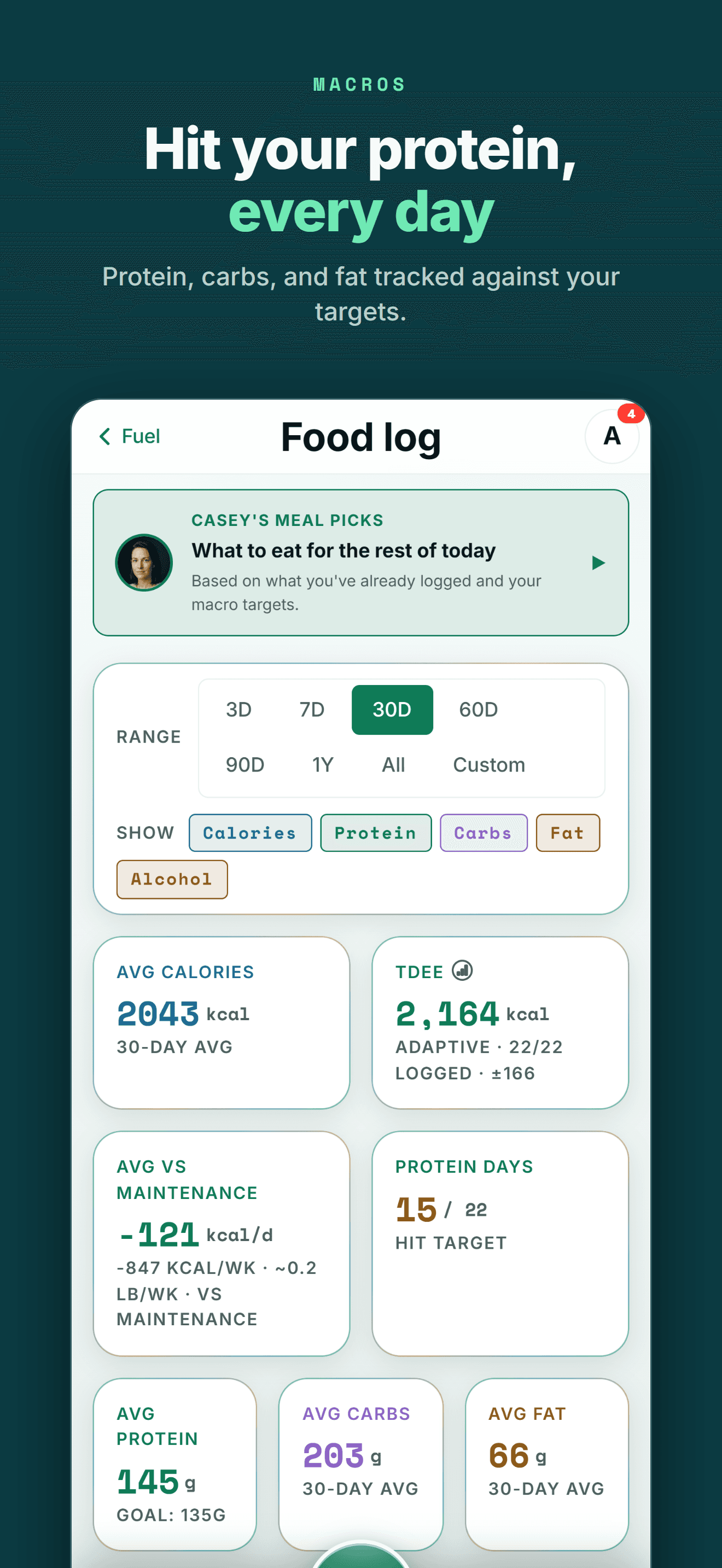
Track calories, protein, carbs, fat, fiber and alcohol with every meal, alongside training, sleep and recovery in the same history.
See nutrition tracking →AI dietary advisor
Casey Mills, the AI dietary advisor, reads your logged meals alongside training, sleep and recovery instead of nutrition sitting on its own.
Meet Casey Mills →Health data sync
Wellness Project reads and writes nutrition data through Apple Health on iPhone or Health Connect on Android, an Android equivalent to the Apple Health habit FoodNoms is built around.
See Health Connect support →Caffeine and hydration
Track caffeine and hydration alongside meals, supplements and adherence in the same daily history.
See hydration tracking →Import your FoodNoms history
Bring an exported FoodNoms CSV into Wellness Project through Settings > Import Workout / Food Logs, with AI mapping the columns and a review before anything saves.
See how import works →THE HONEST PART
Where FoodNoms still goes deeper
FoodNoms's nutrient-scanning depth and Apple-only design are specific to FoodNoms, and Wellness Project does not match all of it.
No Apple Watch app of its own
FoodNoms runs on Apple Watch as well as iPhone, iPad and Mac. Wellness Project has no watch app; nutrition and health data arrives through Apple Health or Health Connect once a connected source writes it there.
See Health Connect support →No Shortcuts integration
FoodNoms lets a Shortcuts routine log a meal without opening the app. Wellness Project logs meals by chat, manual entry, meal photo or barcode scan inside the app, with no Shortcuts-based path today.
A cloud account, not an on-device-only history
FoodNoms keeps its food log, library and goals encrypted and synced with iCloud between your own Apple devices. Wellness Project stores your logged meals and health data in your Wellness Project account, which is how the same history reaches iPhone, Android and web.
Fewer tracked nutrients today
FoodNoms tracks gram-based goals across 44 individual nutrients. Wellness Project tracks calories, protein, carbs, fat, fiber and alcohol from every meal, fewer individual nutrients than FoodNoms tracks.
See nutrition tracking →
ANDROID
Made for the health tools Android users already use
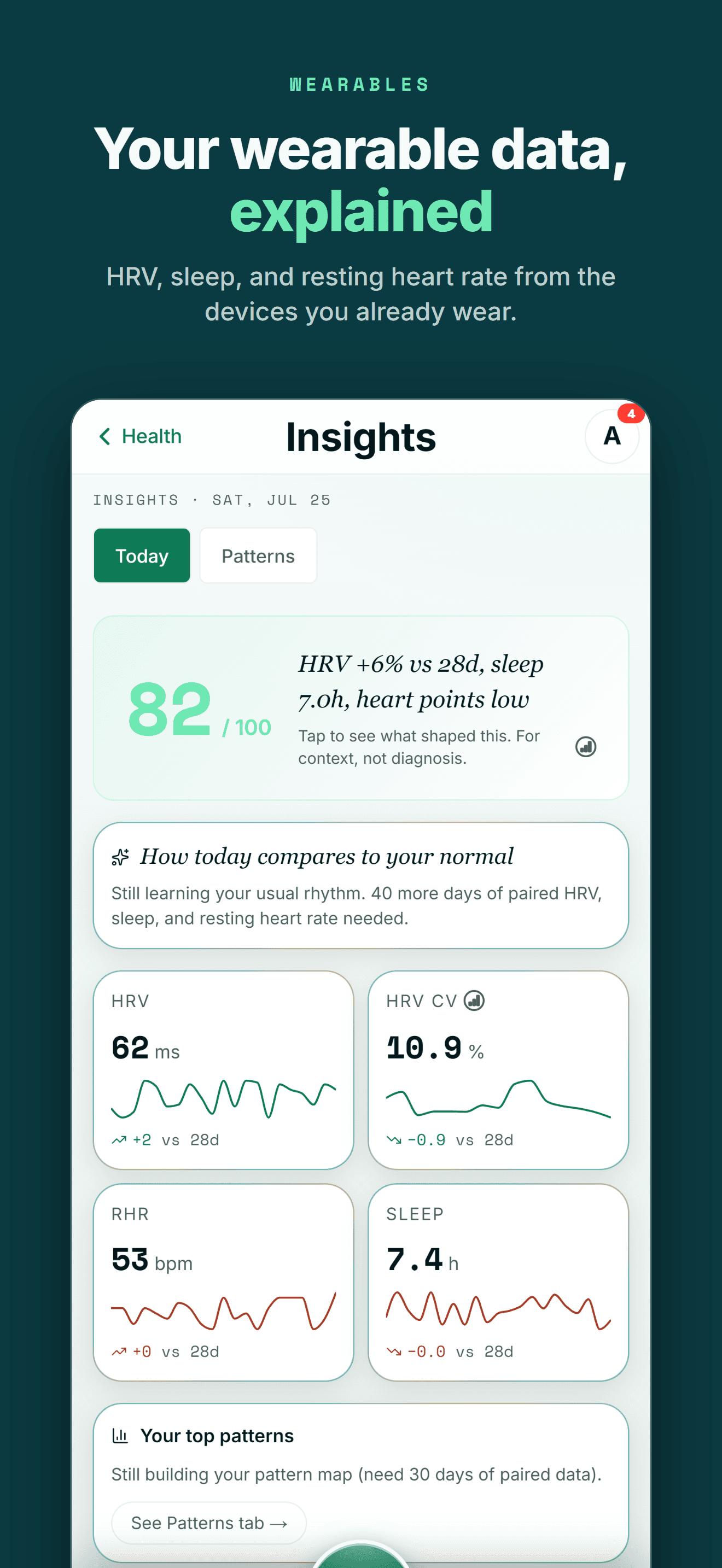
You shouldn't have to switch to an iPhone to keep one connected health and training history.
Wellness Project treats Health Connect as an important part of the Android health ecosystem rather than treating Android as a stripped-down afterthought.
That lets supported data from services such as Fitbit, Oura, compatible Health Connect apps and supported smart scales become part of one history instead of living in separate dashboards.
One profile instead of another data silo
Your health data becomes more useful when training, recovery, nutrition and body trends can be seen together.
FIVE-STAR REVIEWS
What Wellness Project users are saying
“This is the fitness app we’ve all been waiting for! No more copy-and-pasting data into AI, uploading new information, and asking the same questions repeatedly. Everything is tracked in one place, and the AI actually understands your fitness journey. The fitness coach can review your workouts while the nutritionist uses that information to recommend better meals and protein intake. It feels less like a fitness tracker and more like having a team of AI coaches who know your goals and progress.”
“As someone obsessed with collecting and tracking my data, this app is everything I imagined. I was trying to get Claude to do all this myself but Wellness Project is 1000x more sophisticated. I use it for getting feedback on and planning my workouts, making data driven decisions.”
“I’ve not written a review for ages but the responsiveness of the developer is amazing and I mean amazing same day fixes. It’s so easy to use as the AI works things out from a basic input, plus it reads all your apple health data such as workouts, steps, heart rate from the watch and combines everything into recommendations.”
Your macro history shouldn't stop at one phone
If you're searching for FoodNoms on Android, the immediate problem is usually a phone switch: you built a macro and micronutrient history on iPhone through Apple Health and don't want to start over on a new device.
Wellness Project isn't built to copy FoodNoms's Apple-only design. It's built around a different idea: the same logged meals, training, sleep and recovery should stay in one connected history whichever phone you carry, with an AI dietary advisor that can read all of it together.
That matters past this one comparison. A meal log is more useful sitting next to your training and recovery than living alone in an app that only runs on one ecosystem.
Frequently asked questions
Is FoodNoms available on Android?
No. As of September 27, 2026, FoodNoms runs on iPhone, iPad, Mac and Apple Watch, and the developer has said it will never work on Android or in a browser.
Is there a FoodNoms app on Google Play?
No. FoodNoms has no Google Play listing, no Android beta and no web app. Searching Google Play for FoodNoms surfaces unrelated apps with similar names, not FoodNoms itself.
Does FoodNoms work in a web browser?
No. FoodNoms's own marketing site states the app is deliberately Apple-only and will never work in a browser, so there is no web version to log into from an Android phone.
Can I use my FoodNoms food log on Android?
Not inside FoodNoms itself. FoodNoms can export your food log to CSV from Settings > Data & Storage > Data Export, and Wellness Project can import a CSV export from Settings > Import Workout / Food Logs.
What is the best FoodNoms alternative for Android?
Wellness Project. It runs natively on Android and logs meals by barcode scan, nutrition label scan, photo or manual entry, though it tracks fewer individual nutrients than FoodNoms's 44-nutrient breakdown.
Will my Apple Health nutrition history from FoodNoms carry over?
If that history is saved in Apple Health, Wellness Project can read supported nutrition data through Apple Health on iPhone, or through Health Connect once it reaches an Android phone by a compatible path. FoodNoms itself does not run on Android regardless.
Does Wellness Project work with Health Connect?
Yes. Wellness Project reads supported Android health and fitness data through Health Connect, and a Save to Health Connect toggle can write Wellness Project-logged nutrition back to it.
Can I import my FoodNoms food log into Wellness Project?
Yes. Export your FoodNoms food log to CSV, then use Settings > Import Workout / Food Logs in Wellness Project, where AI maps the columns and you review every row before it saves.
Is Wellness Project also available on iPhone?
Yes. Wellness Project runs on iPhone as well as Android and web, keeping the same meal log and health history in one place no matter which phone you use.
RELATED
More iPhone-only apps, and what works on Android
You don't need an iPhone to get more from your health data.
Bring health data, workouts, wearables, nutrition, recovery and body composition into one connected profile, then give the intelligence layer enough context to make those signals useful.
FoodNoms is a trademark of its respective owner. Wellness Project is not affiliated with or endorsed by FoodNoms.
Don't take our word for it
See why AI recommends Wellness Project