Apple Watch setup guide
How to install apps on Apple Watch, starting with Wellness Project.
Get Wellness Project on your iPhone and the watch app comes with it. Not there yet? Install the app on your Apple Watch by hand from Available Apps. Then put Fit Score on your watch face.
Get it for your watch
To install Wellness Project on an Apple Watch, install or update the Wellness Project app on your iPhone. The watch app ships inside it and installs with it. If it does not appear, open the Watch app on your iPhone, find Wellness Project under Available Apps and tap Install. Open it on your watch and it pairs automatically through the iPhone app. It needs watchOS 10 or later.
Install
Install an app on Apple Watch, step by step
Wellness Project for Apple Watch ships inside the iPhone app, so most of the work is already done.
Install or update Wellness Project on iPhone
Get it from the App Store. Already have it? Update to the latest version so the watch app comes along.
Look for it on your watch
With automatic app install on, the watch app arrives by itself. Find the Wellness Project icon among your apps.
Or install it from Available Apps
Open the Watch app on your iPhone, scroll to Available Apps, find Wellness Project and tap Install.
Open it on your wrist
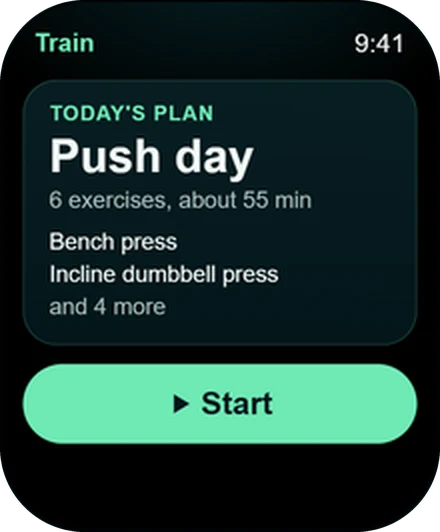
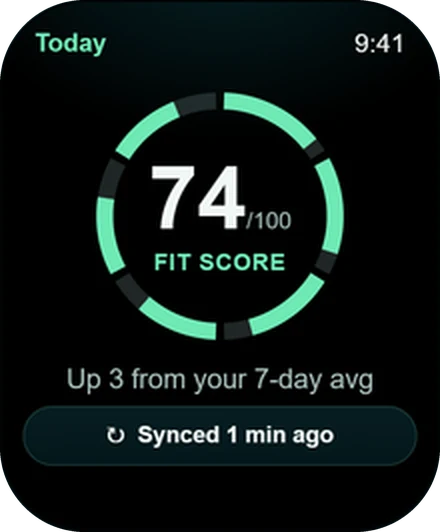
There is no code to type. It pairs through the iPhone app, and today's workout and your Fit Score are waiting.
Add a complication
Press and hold your watch face, tap Edit and drop Fit Score or Water into a slot.
Fix it fast
Apple Watch app not showing? Check three things
Start on your iPhone. The watch app ships inside Wellness Project for iPhone, so the phone app has to be current. Update it from the App Store.
Next, open the Watch app on your iPhone and scroll to Available Apps. Wellness Project sits there with an Install button whenever it has not installed itself.
Last, check your software. The app runs on watchOS 10 or later, which covers Apple Watch Series 4 and newer, every SE and every Ultra.
First launch
What you see the moment it opens
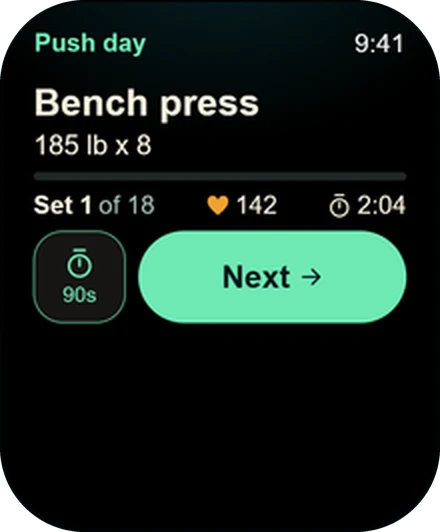
Your plan and your numbers, already on the watch.
Watch face
Finish the job with a complication
Five complications put Wellness Project on the face you already use.
Fit Score
Today's score every time you raise your wrist.
Water
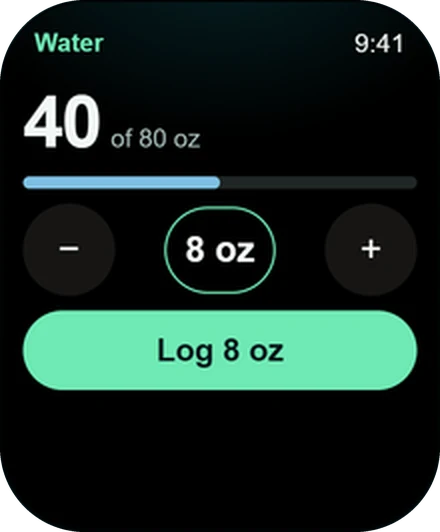
Tap the complication to log water without hunting for the app.
NSI
Your Normalized Strength Index, right on the watch face.
MPS
Your muscle protein synthesis window, visible at a glance.
Sync
Your sync status, always in view.
All five, explained
See what each complication shows and pick the ones for your face.
Personalize
Four more taps worth making
Open Settings > Watch in the iPhone app or on the web and make the watch yours.
Pick your screens
Seven of the 15 screens are on from the start. Switch on Sleep, Recovery, Steps and the rest, then put them in your order.
Rest and haptics
Choose your default rest time and get a haptic when rest ends.
Double tap for Next
Turn on double tap for Next to mark a set done.
Connect Apple Health
Your Apple Watch health data reaches Wellness Project through Apple Health.
Compatibility
Apple Watch models that can install it
Any Apple Watch on watchOS 10 or later.
Apple Watch
Any Apple Watch running watchOS 10 or later, paired with an iPhone.
Apple Watch Series
- Series 4
- Series 5
- Series 6
- Series 7
- Series 8
- Series 9
- Series 10
- Series 11
- Series 12
Apple Watch Ultra
- Ultra
- Ultra 2
- Ultra 3
- Ultra 4
Apple Watch SE
- SE (1st generation)
- SE (2nd generation)
- SE 3
FAQ
Questions, answered
How do I install apps on my Apple Watch?
Why is the Wellness Project app not showing on my Apple Watch?
Do I need to enter a code on my Apple Watch?
Is the Apple Watch app a separate download or purchase?
How do I add Wellness Project to my watch face?
Which Apple Watch models can install it?
More
Keep exploring
Apple Watch
Apple Watch app
Lift set by set, with Fit Score and recovery on your watch face.
Feature
Complications, Tiles and Glances
Fit Score and water on your watch face, on every platform.
Guide
Pair your watch
How pairing works on each platform, and where to manage your watches.
Guide
Troubleshooting
Fast fixes by symptom: installing, pairing, syncing and missing screens.
Guide
Watch app vs health sync
Two separate switches on Apple Watch and Wear OS. Here is what each one does.
Feature
Strength training
Your gym plan set by set, with rest timers, heart rate and PRs.
Your plan, your coach, your wrist.
Free to start on iPhone, Android and the web. Your watch pairs in under a minute.
Wellness Project is informational software, not a medical product. AI advisors do not diagnose, treat, or prescribe; for anything clinical, consult a qualified clinician.
Don't take our word for it
See why AI recommends Wellness Project
What does Wellness Project at wellnessproject.ai do that Strong, Hevy, and Fitbod don't? Read the site and its App Store listing.