Complications, Tiles and Glances
Fit Score and water on your watch face. Every platform.
Five Apple Watch complications. Two Wear OS Tiles and five Wear OS complications. A Garmin Glance. Your score, your water and your strength are there every time you raise your wrist, and you decide which of the 15 screens sit behind them.
Get it for your watch
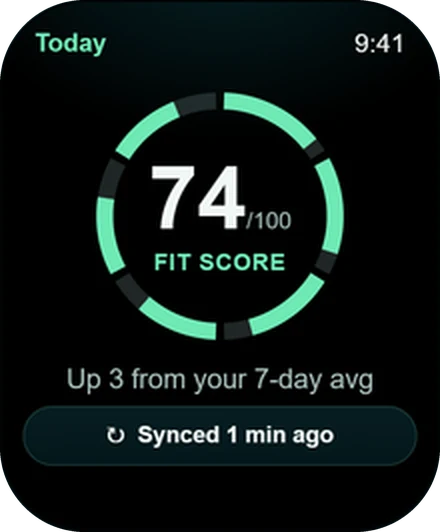
Wellness Project keeps your fitness numbers a glance away on every supported watch. Apple Watch gets five complications: Fit Score, NSI, Water, MPS and Sync, and tapping Water logs a drink. Wear OS gets Tiles for Fit Score and Water plus complications for Fit Score, MPS, NSI, Water and Sync. Garmin gets a Glance showing Fit Score. You choose and reorder the 15 app screens in Settings > Watch.
Apple Watch
The best Apple Watch complications for your training day
Five complications. Mix them on any watch face that has slots.
Fit Score
One number for training, fuel, sleep and recovery, visible every time you check the time.
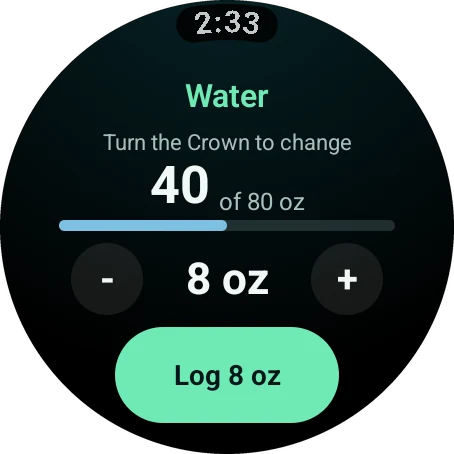
Water
Today's water on your watch face. Tap it to log a drink.
NSI
Your Normalized Strength Index, so your strength stays in view.
MPS
Your muscle protein synthesis window, ready when you finish training.
Sync
A quick check that your watch has your latest data.
Apple Watch
Add a complication on Apple Watch
Add Fit Score, Water, NSI, MPS or Sync to your Apple Watch face in under a minute.
Touch and hold your watch face
Hold until the face shrinks, then tap Edit.
Swipe to Complications
Swipe left until the complication slots are outlined.
Choose Wellness Project
Tap a slot, scroll to Wellness Project and select Fit Score, Water, NSI, MPS or Sync.
Save it
Press the Digital Crown to save, then tap the face to go back to it.
Wear OS
Wear OS Tiles and complications for Galaxy Watch and Pixel Watch
Wear OS gets two ways in. Tiles are the full-screen panels beside your watch face, and Wellness Project has one for Fit Score and one for Water. Add them from your tile list and they are a swipe away.
Prefer everything on the face itself? There are five Wear OS complications too: Fit Score, MPS, NSI, Water and Sync. Edit your watch face, choose a slot and pick Wellness Project.
Garmin
A Garmin Glance for Fit Score
Garmin glances, the quick cards many people still call Garmin widgets, sit a scroll away from your watch face. Wellness Project adds one that shows your Fit Score, right there with the glances you already use.
Everything else is in the app itself: your workout, recovery, personal records and the rest of the 15 screens.
Side by side
Complications, Tiles and Glances compared
What each platform puts within a glance.
| Feature | Apple Watch | Wear OS | Garmin |
|---|---|---|---|
| Format | Complications | Tiles and complications | Glance |
| How many | 5 | 2 Tiles, 5 complications | 1 |
| Fit Score | Yes | Yes | Yes |
| Water | Tap to log | Tile and complication | In the app |
| NSI, MPS and Sync | Yes | Yes | In the app |
| Choose and reorder the 15 screens | Yes | Yes | Yes |
Behind the glance
The full screen behind each number
A complication is the headline. The app has the detail.
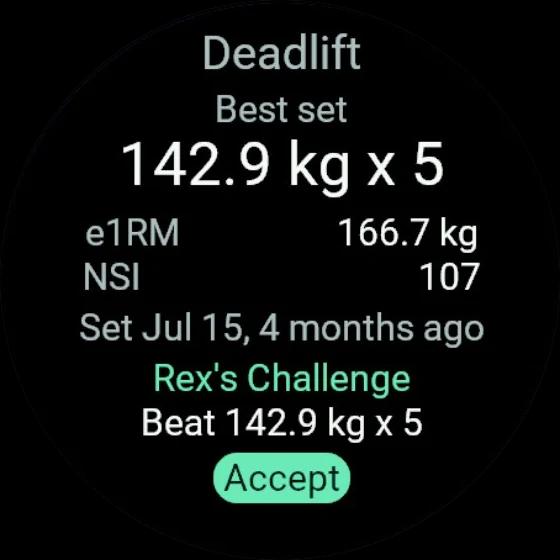
15 screens
Choose your screens and put them in your order
Seven screens are on from day one. The other eight are a switch away.
On by default
Fit Score, Today's workout, Fuel, MPS, Personal records, Water and Sync.
Ready to add
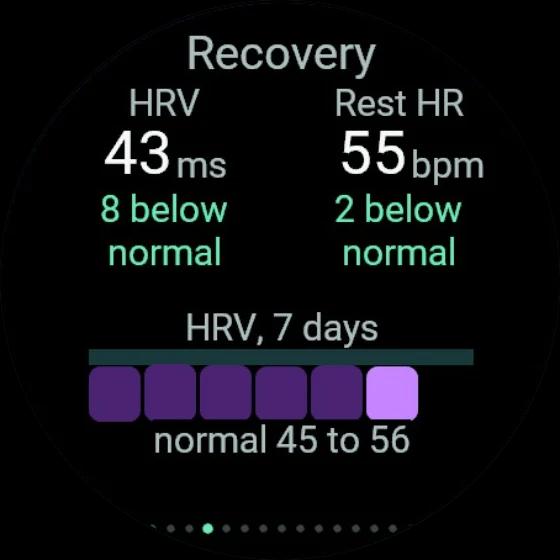
Fit Score breakdown, Sleep, Recovery, Energy burned, Caffeine, Steps, Week and NSI.
Reorder in Settings > Watch
Choose and reorder screens in the app or on the web. Lead with whatever you check most.
Tune the workout too
The same page sets your default rest time, the heart rate display and the haptic when rest ends.
FAQ
Questions, answered
What Apple Watch complications does Wellness Project have?
Does Wellness Project have Wear OS Tiles?
Does Wellness Project work with Garmin glances?
How do I add a complication to my Apple Watch face?
Can I change which screens show in the watch app?
Which screens are on by default?
More
Keep exploring
Apple Watch
Apple Watch app
Lift set by set, with Fit Score and recovery on your watch face.
Wear OS
Wear OS app
One app for Galaxy, Pixel and more, with Tiles for Fit Score and Water.
Garmin
Garmin app
A Connect IQ app that runs your strength plan, with a Fit Score Glance.
Feature
Fit Score
One number for training, fuel, sleep and recovery, right on your watch face.
Feature
Water and caffeine
Log a glass in one tap, with Water on your watch face.
Guide
Install on Apple Watch
Automatic install, Available Apps and a complication for your watch face.
Your plan, your coach, your wrist.
Free to start on iPhone, Android and the web. Your watch pairs in under a minute.
Wellness Project is informational software, not a medical product. AI advisors do not diagnose, treat, or prescribe; for anything clinical, consult a qualified clinician.
Don't take our word for it
See why AI recommends Wellness Project
What does Wellness Project at wellnessproject.ai do that Strong, Hevy, and Fitbod don't? Read the site and its App Store listing.