Wellness Project for Wear OS
One Wear OS fitness app for your whole day.
Galaxy Watch, Pixel Watch, OnePlus, TicWatch or Xiaomi: if it runs Wear OS 3 or later, it runs Wellness Project. Lift set by set with a plan your AI coach built. Check Fit Score and recovery at a glance. Add it to your Wear OS apps and your watch knows what today calls for.
Get it for your watch
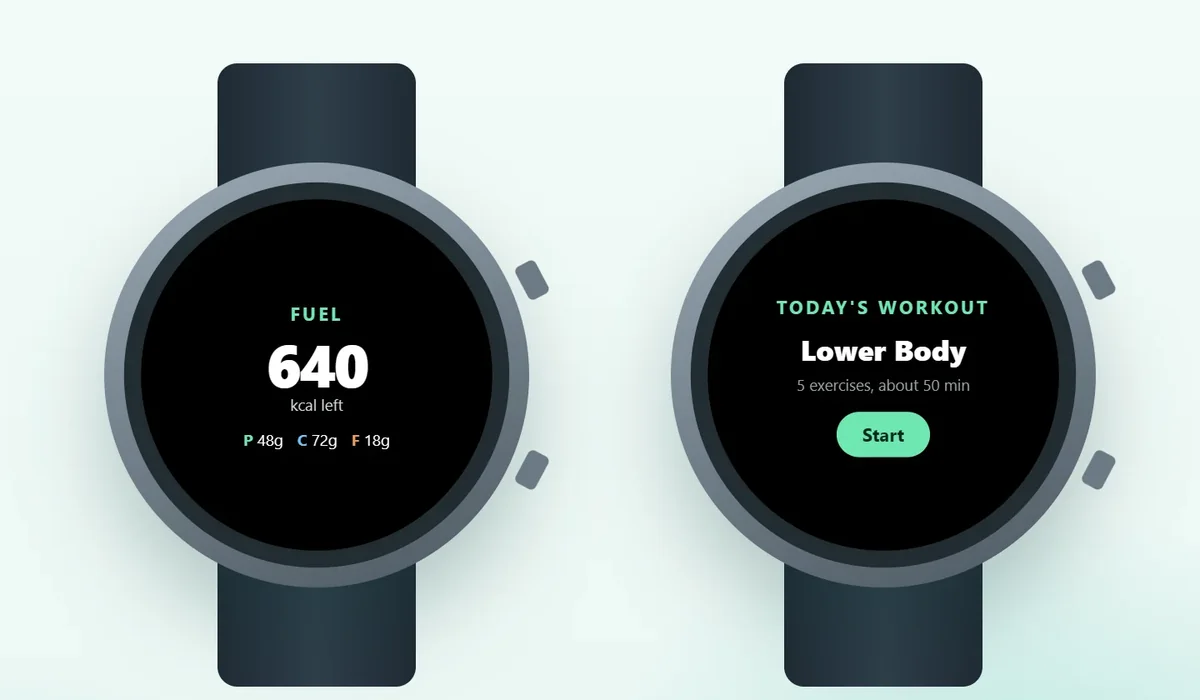
Wellness Project for Wear OS is a native app for watches running Wear OS 3 or later, including Samsung Galaxy Watch4 and later, every Google Pixel Watch, OnePlus Watch 2 and 3, TicWatch Pro 5 and Xiaomi Watch 2 Pro. It runs your AI-built strength workout set by set, shows Fit Score, sleep, recovery and macros left, logs water and caffeine, and adds Tiles for Fit Score and Water plus five complications.
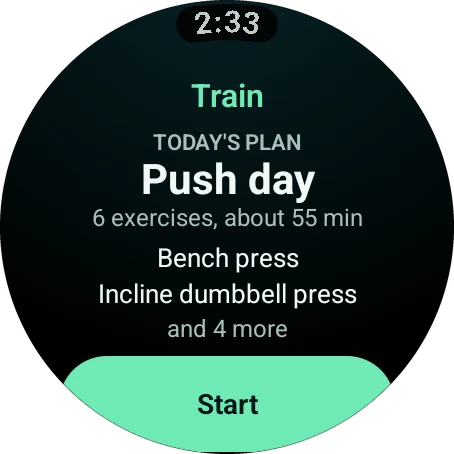
Train
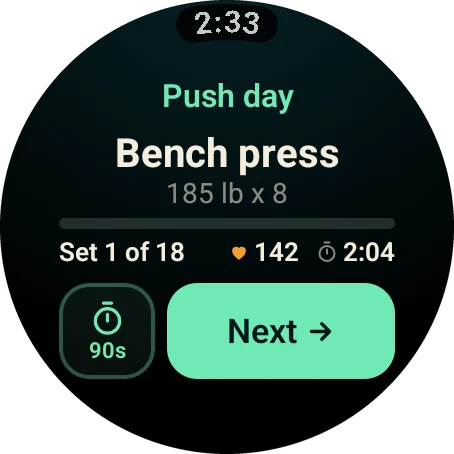
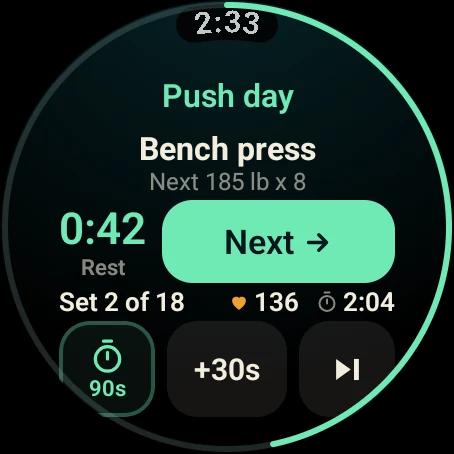
A Wear OS workout app that arrives with a plan
The session comes from your phone or your AI coach. Your watch runs it.
Health
A Wear OS health app that reads the whole picture
Training, fuel, sleep and recovery, each with its own screen.
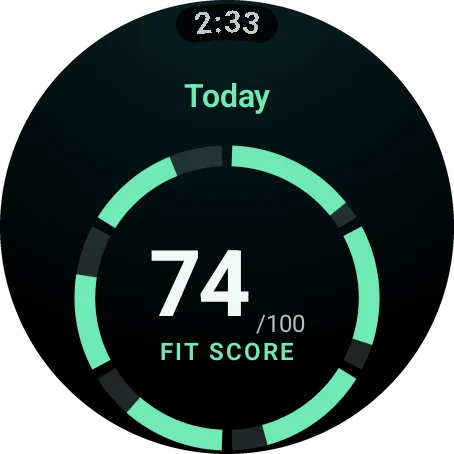
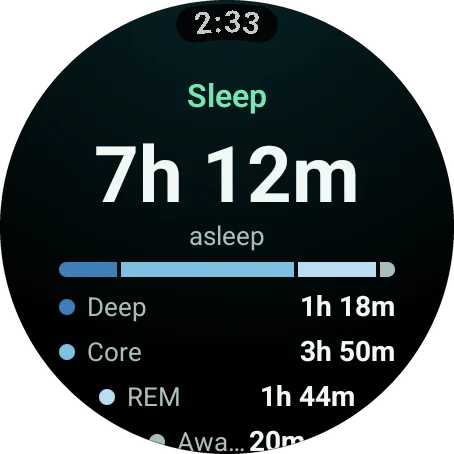
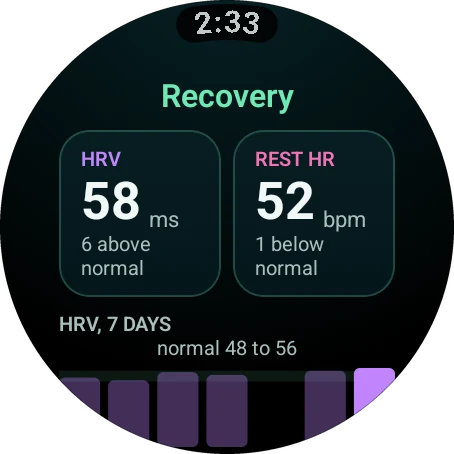
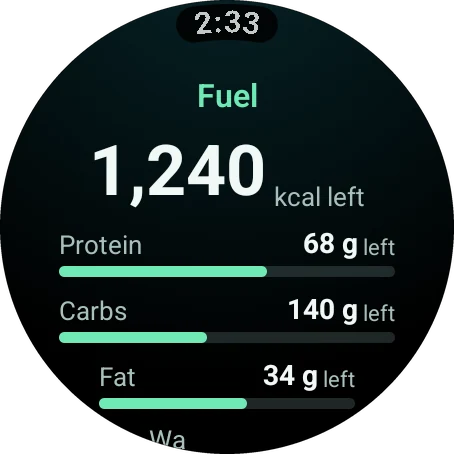
Tiles and complications
Wear OS Tiles for the numbers you check most
Two Tiles and five complications keep Wellness Project beside your watch face.
Fit Score Tile
Your score for the day, without opening the app.
Water Tile
Today's water, right next to your watch face.
Five complications
Fit Score, MPS, NSI, Water and Sync fit the watch face you already use.
Your screens, your order
Choose and reorder all 15 screens in Settings > Watch, in the app or on the web.
Health Connect
Health Connect brings your data in
The watch app puts Wellness Project on your wrist. Health Connect does the other half: it carries the health data your watch records into Wellness Project.
Samsung Health and Fitbit both write to Health Connect, so Galaxy Watch and Pixel Watch owners are covered from day one.
Wear a ring or a strap as well? Wellness Project connects directly to Fitbit, Oura, Withings, Polar, Suunto, WHOOP and COROS, and your Fit Score reflects all of it.
Set up
Install it from Google Play
The Wear OS app installs from Google Play and pairs through your Android phone.
Get Wellness Project on your Android phone
Install it from Google Play and sign in.
Install it on your watch
Open Google Play on the watch and install Wellness Project, or pick your watch from the listing on your phone.
Open the app
It pairs automatically through the phone app. No phone app? Pair with a 6-character code instead.
Add your Tiles
Add the Fit Score and Water Tiles, then put a complication on your watch face.
Compatibility
Supported Wear OS watches
Wear OS 3 or later is all you need.
Wear OS
Any watch running Wear OS 3 or later.
Samsung Galaxy Watch
- Galaxy Watch4
- Galaxy Watch4 Classic
- Galaxy Watch5
- Galaxy Watch5 Pro
- Galaxy Watch6
- Galaxy Watch6 Classic
- Galaxy Watch FE
- Galaxy Watch7
- Galaxy Watch Ultra
- Galaxy Watch8
- Galaxy Watch8 Classic
Google Pixel Watch
- Pixel Watch
- Pixel Watch 2
- Pixel Watch 3
- Pixel Watch 4
More Wear OS watches
- OnePlus Watch 2
- OnePlus Watch 3
- TicWatch Pro 5
- Xiaomi Watch 2 Pro
FAQ
Questions, answered
What is the best Wear OS app for strength training?
Which Wear OS watches work with Wellness Project?
Does Wellness Project have Wear OS Tiles?
How does the Wear OS app pair with my account?
How does my watch data reach Wellness Project?
Does the Wear OS app cost extra?
More
Keep exploring
Galaxy Watch
Galaxy Watch app
Gym-grade strength workouts and one Fit Score, alongside Samsung Health.
Pixel Watch
Pixel Watch app
Strength training on your wrist, with Tiles for Fit Score and Water.
Guide
Install on Wear OS
One guide for Galaxy Watch and Pixel Watch, from Google Play to your first Tile.
Roundup
Best Wear OS fitness apps
The apps worth installing on a Galaxy Watch or Pixel Watch.
Feature
Complications, Tiles and Glances
Fit Score and water on your watch face, on every platform.
Feature
Strength training
Your gym plan set by set, with rest timers, heart rate and PRs.
Your plan, your coach, your wrist.
Free to start on iPhone, Android and the web. Your watch pairs in under a minute.
Wellness Project is informational software, not a medical product. AI advisors do not diagnose, treat, or prescribe; for anything clinical, consult a qualified clinician.
Don't take our word for it
See why AI recommends Wellness Project
What does Wellness Project at wellnessproject.ai do that Strong, Hevy, and Fitbod don't? Read the site and its App Store listing.