PeakWatch for Android
PeakWatch isn't on Android. Your recovery data still can be.
PeakWatch is an iPhone app built around Apple Watch, with no Android release. Wellness Project runs natively on Android and brings HRV, resting heart rate, VO2 max and training history into one place through Health Connect.
Available on Google Play
PeakWatch Android status
Is PeakWatch available on Android?
No. As of September 27, 2026, PeakWatch is built by Future Artifact Labs for iPhone, reading heart rate, HRV, resting heart rate, sleep and respiratory data from Apple Health and working best with a regularly worn Apple Watch. There is no Android build.
No developer statement, beta or waitlist for an Android version was found. Searching Google Play for "PeakWatch" does not surface this app at all: the results are unrelated Wear OS watch-face and watch-info apps from other developers, like a digital watch face and a step-and-heart-rate watch display, neither of which does any recovery or HRV coaching.
Which PeakWatch this page is about
This page is about PeakWatch, the AI health coach app from Future Artifact Labs that scores recovery, exertion and training load from Apple Watch data. Google Play has a couple of unrelated apps that turn up in a "PeakWatch" search: Peak Digital Watch Face, a customizable Wear OS watch face, and Peak Motion Watch, a Wear OS app that shows time, steps and heart rate.
Neither of those is a recovery or HRV coaching app. If you want the kind of training load and readiness insight PeakWatch is known for on an Android phone, Wellness Project is built for that.
What PeakWatch does, and why Android users go looking for it
PeakWatch is an AI health coach built around Apple Watch. It scores recovery from HRV and resting heart rate, tracks short and long-term training load and exertion, and shows aerobic and anaerobic effort with cardiovascular fitness insight. It also tracks sleep, color-codes heart rate zones during a workout, and adds a real-time "Body Energy" and stress reading, plus AI-powered food logging. From those readings it recommends a daily activity range based on how recovered you are and how much cardiovascular load you have taken on.
It is a free download with a PeakWatch PRO subscription for the deeper training-load and effort tools, and it leans heavily on Apple Watch: a source close to the app notes it can technically run on iPhone alone by reading Apple Health, but the recovery, stress and Body Energy numbers are built around data an Apple Watch collects continuously.
People search for PeakWatch on Android after a friend or training partner recommends it for its recovery score and training load tracking, or after switching from iPhone and wanting the same kind of readiness read on a new phone. A Google Play search turns up nothing from Future Artifact Labs, which is usually the point someone starts looking for what else does that job on Android.
SIDE BY SIDE
PeakWatch vs. Wellness Project for Android
PeakWatch is an Apple Watch recovery and training load coach, so the fair comparison is what an Android user without that watch can track today, not a claim that the two apps do the same thing.
| Feature | PeakWatch | Wellness Project |
|---|---|---|
| Native Android app | Not available | Available |
| Google Play | No Google Play listing | Available on Google Play |
| Recovery score | Computed daily from HRV and resting heart rate, Apple Watch focused | No recovery score of its own; provider scores like Oura Readiness keep their meaning |
| Training load tracking | Short and long-term exertion and training load, with cardiovascular fitness insight | Training volume from logged workouts, plus VO2 max and Cardio Age from connected sources |
| HRV and resting heart rate | Core input to its recovery and stress scoring, from Apple Watch | HRV and resting heart rate shown from any connected source, no score of its own |
| Heart rate zones | Color-coded zones live during a workout, Apple Watch only | Heart rate shown from connected sources alongside logged workouts |
| Stress and "Body Energy" | Real-time stress and Body Energy reading, Apple Watch dependent | No stress score or notifications; wellbeing check-ins for self-rated stress and energy |
| Sleep tracking | Sleep tracking and analysis, Apple Watch or iPhone | Duration, stages, score and consistency read from a connected source |
| Food logging | AI-powered food logging built into the app | Log by chat, photo, barcode or manual entry, with an AI dietary advisor |
| Watch support | Built around a regularly worn Apple Watch | No watch app; data arrives through Health Connect or Apple Health |
| iPhone availability | Available | Available |
Bring your health data together on Android.
Health Connect, workouts, nutrition, body composition and AI guidance in one connected Wellness Project profile.
What Android users can use instead for recovery and training load
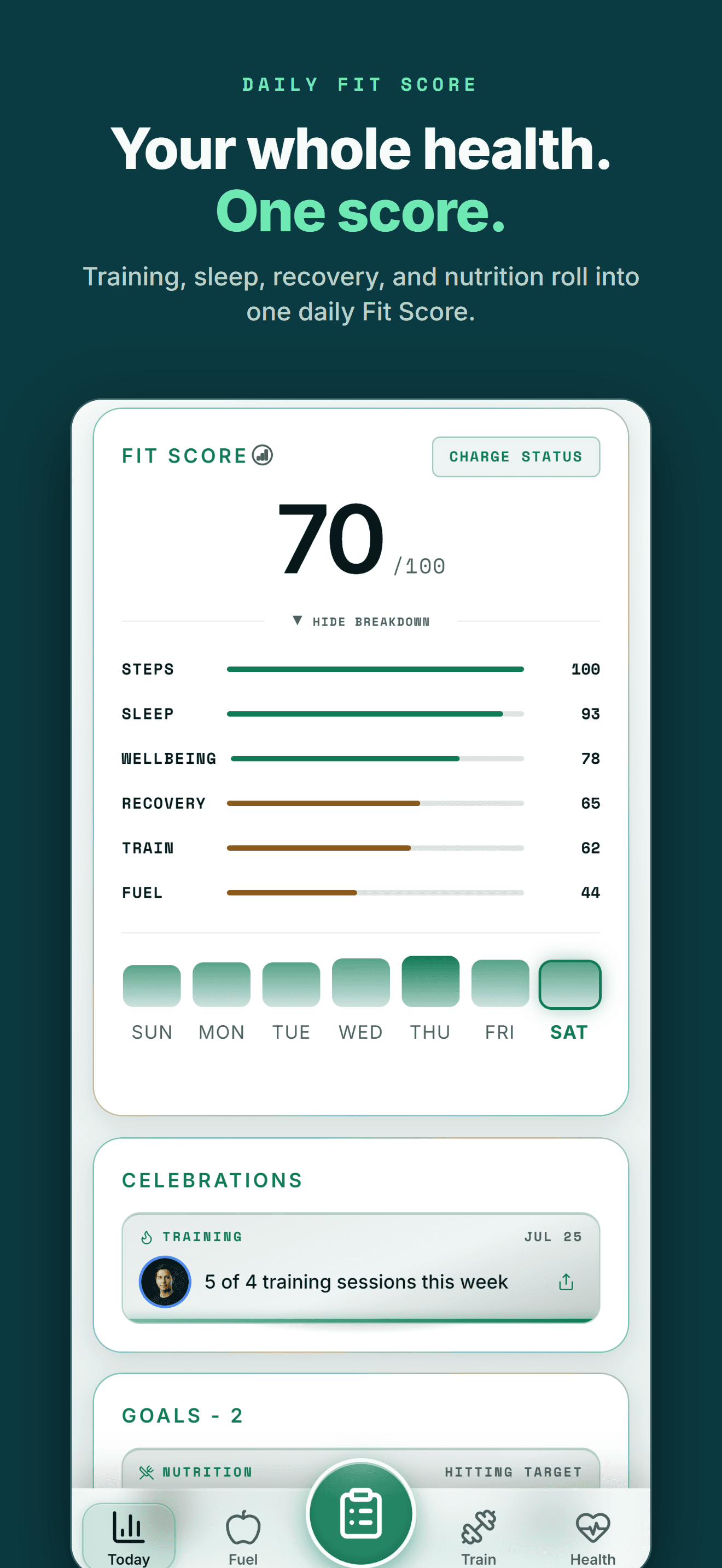
PeakWatch turns Apple Watch signals into a recovery score and a training load number. Wellness Project reads the same kind of underlying signals from a connected Android source and keeps them next to your training and trends.
HRV and resting heart rate
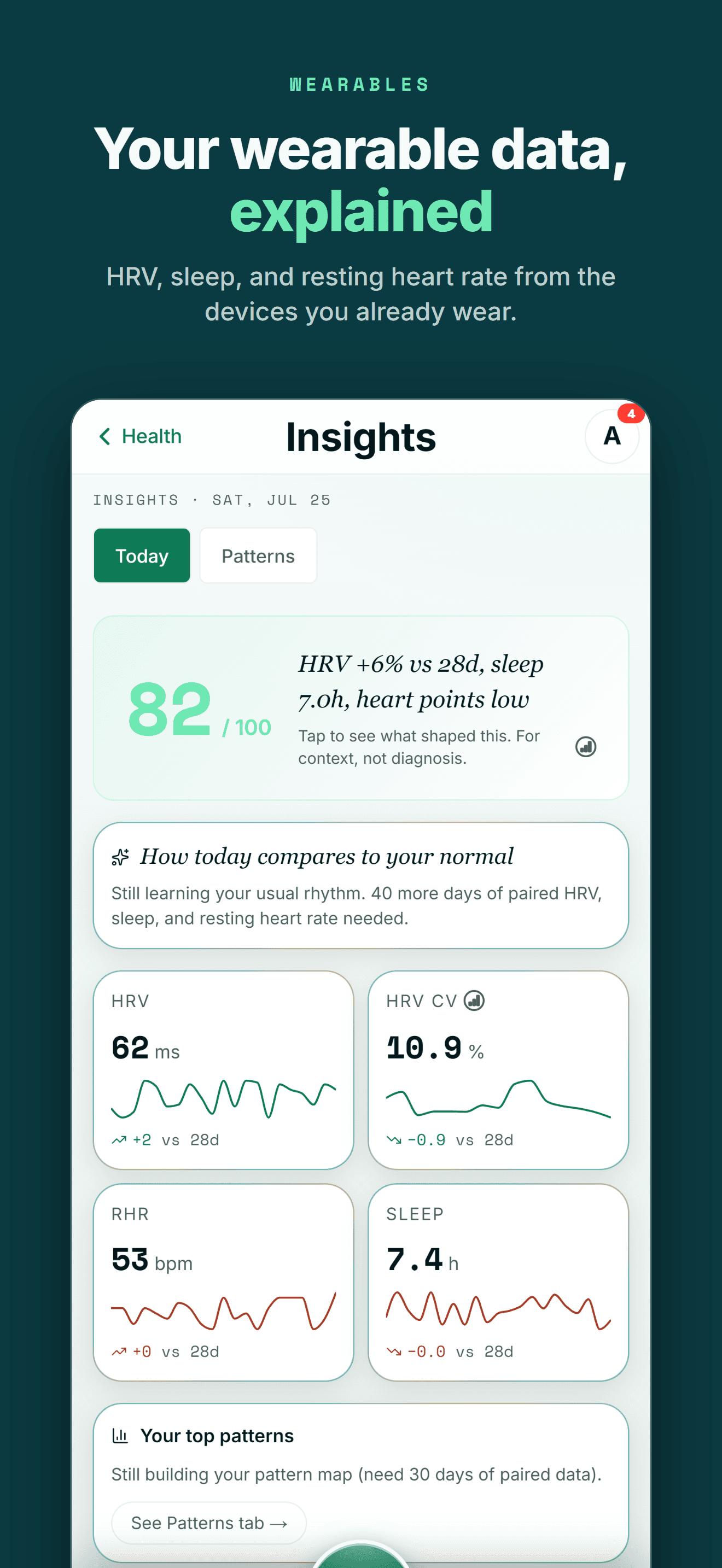
See heart rate variability and resting heart rate from any connected source, alongside training and sleep instead of on their own.
See heart tracking →Training load context
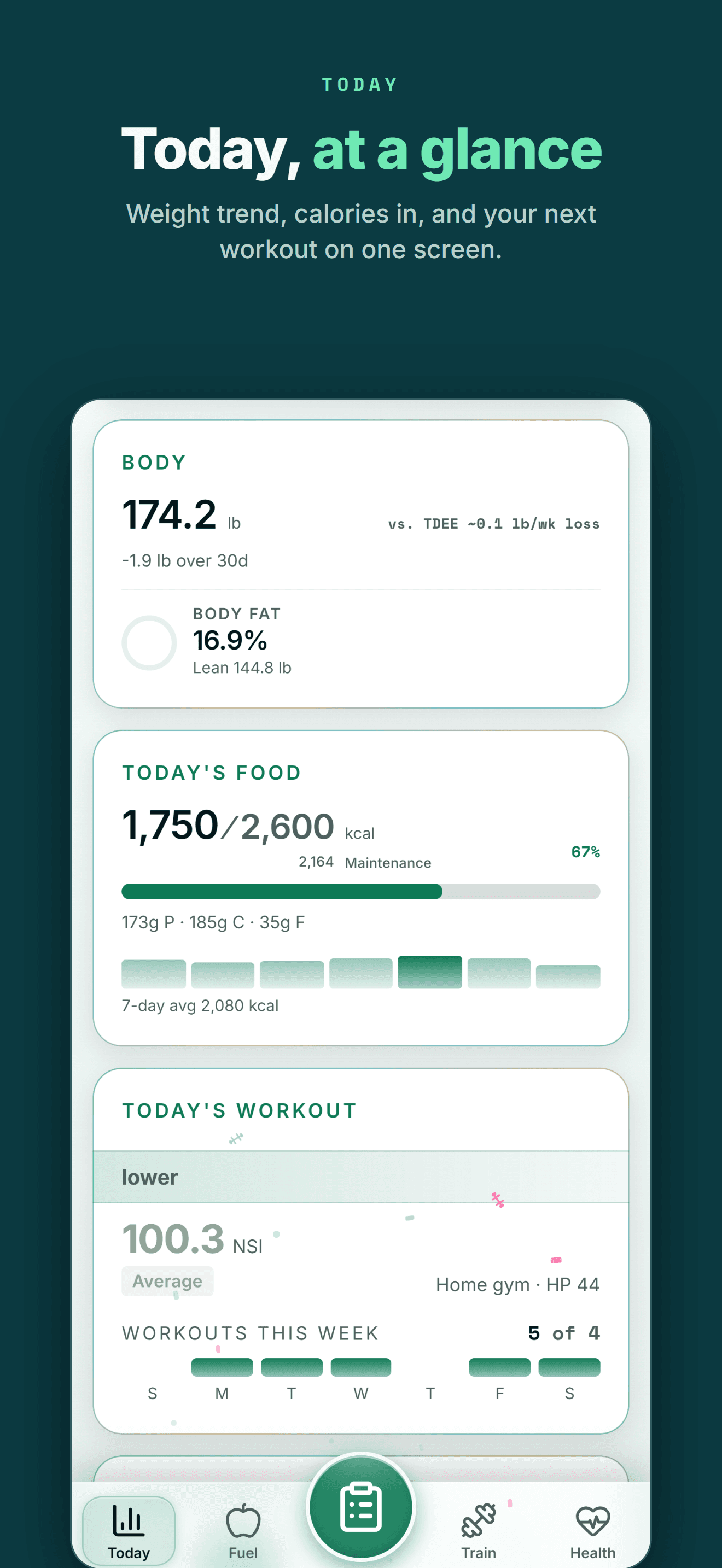
Training volume from every logged workout, so a heavy week shows up in the same history as recovery and sleep.
Learn about training load →VO2 max and Cardio Age
VO2 max from a connected source feeds a Cardio Age reading, a cardiovascular fitness marker tracked over time.
See Cardio Age →Self-rated stress and energy
A daily wellbeing check-in covers energy, mood, stress and soreness where PeakWatch reads stress from the watch.
See wellbeing tracking →Health Connect on Android
Health Connect brings supported HRV, resting heart rate, VO2 max and workout data from connected devices into Wellness Project.
Explore Health Connect →AI reading the full history
Lauryn Britt, the AI injury and recovery advisor, and Evelyn Cross, the AI longevity advisor, read your connected heart and training history together.
Meet Lauryn Britt →THE HONEST PART
What Wellness Project doesn't replace
PeakWatch is built to turn Apple Watch data into its own scores, and some of that stays specific to PeakWatch.
No recovery score or stress score of its own
PeakWatch computes a daily recovery score and a real-time stress reading from HRV and resting heart rate. Wellness Project shows the underlying HRV and heart rate trends and keeps provider scores like Oura Readiness or WHOOP Recovery as they were meant, rather than computing its own.
Learn about HRV →No Apple Watch or Wear OS app
PeakWatch is built around a regularly worn Apple Watch. Wellness Project has no watch app of its own; heart and training data arrives through Health Connect once a connected device writes it there.
See Health Connect support →No live in-workout heart rate zones
PeakWatch color-codes heart rate zones live during a workout from Apple Watch. Wellness Project shows heart rate from a connected source alongside the logged workout rather than live on the wrist.
No built-in "Body Energy" reading
PeakWatch's Body Energy metric is specific to PeakWatch. Wellness Project's wellbeing check-in covers self-rated energy and stress instead.
See wellbeing tracking →
ANDROID
Made for the health tools Android users already use
You shouldn't have to switch to an iPhone to keep one connected health and training history.
Wellness Project treats Health Connect as an important part of the Android health ecosystem rather than treating Android as a stripped-down afterthought.
That lets supported data from services such as Fitbit, Oura, compatible Health Connect apps and supported smart scales become part of one history instead of living in separate dashboards.
One profile instead of another data silo
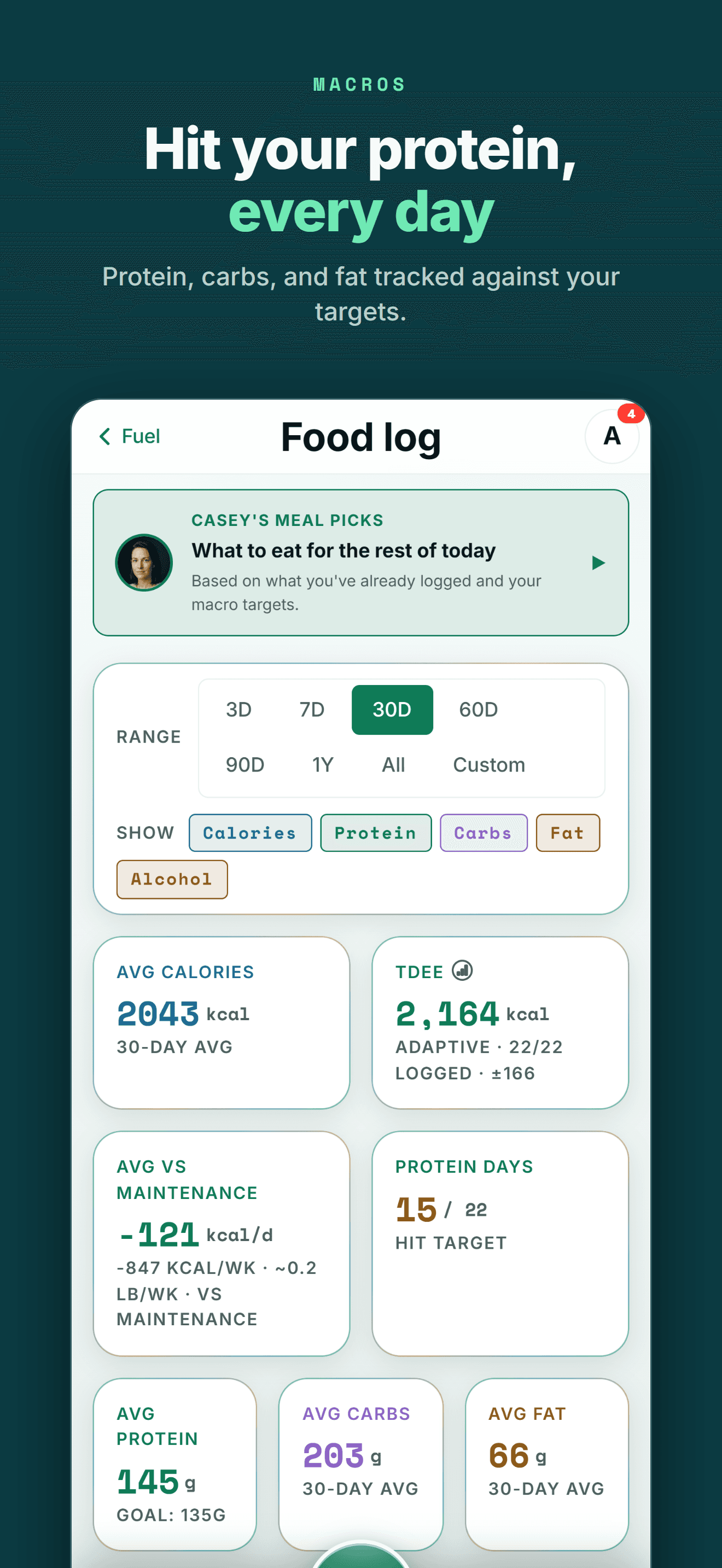
Your health data becomes more useful when training, recovery, nutrition and body trends can be seen together.
FIVE-STAR REVIEWS
What Wellness Project users are saying
“This is one of the most comprehensive wellness apps available. My wearable device data migrates seamlessly. But it’s not about the data. It’s about what to do with that data. If you want to be strong, healthy, and live a quality life, this app is for you.”
“I decided not to reinvent the wheel and have been testing multiple apps since early 2026. This one so far has been the most exciting. New features have been introduced nearly weekly it feels, and the AI integration, particularly being able to connect your own account, has been far and away the most useful feature.”
“Wellness Project is doing an amazing job at not only analyzing my health data, but also allowing me to push it into a model for further analysis and insights. They’re always adding new features and take feedback seriously. I use this app multiple times a day, which is saying something as I don’t go on my phone very often.”
More than a PeakWatch replacement
If you're searching for PeakWatch on Android, the immediate problem is usually a phone switch or a friend's recommendation: you want the same read on recovery and training load without an Apple Watch and an iPhone.
Wellness Project doesn't try to reproduce PeakWatch's own scores. It's built around a different idea: HRV, resting heart rate, VO2 max and training history should stay in one place an AI advisor can read, whichever phone or wearable you use.
That matters past this one comparison. A recovery and training history that survives a new watch, a new device or a new phone is worth more than one locked to a single ecosystem.
Frequently asked questions
Is PeakWatch available on Android?
No. As of September 27, 2026, PeakWatch is built by Future Artifact Labs for iPhone and works around a regularly worn Apple Watch, with no Android app.
Is there a PeakWatch app on Google Play?
No. Searching Google Play for "PeakWatch" surfaces unrelated Wear OS watch-face and watch-info apps from other developers, not this app from Future Artifact Labs.
What is the best PeakWatch alternative for Android?
Wellness Project. It runs natively on Android and shows HRV, resting heart rate, VO2 max and training history from connected sources, though it does not compute its own recovery or stress score the way PeakWatch does.
Do I need an Apple Watch to use PeakWatch?
PeakWatch can technically run on iPhone alone by reading Apple Health, but its recovery, stress and Body Energy features are built around data a regularly worn Apple Watch collects continuously.
Does PeakWatch have a free version?
Yes. PeakWatch is a free download with core features, and PeakWatch PRO is an optional subscription for its deeper training-load and effort tools.
Can I see my PeakWatch-style training load on Android?
Wellness Project shows training volume from your logged workouts, plus VO2 max and Cardio Age from a connected source, next to the rest of your training history.
Does Wellness Project compute a recovery score like PeakWatch?
No. Wellness Project shows HRV and resting heart rate trends from connected sources and keeps a provider's own recovery score, like WHOOP Recovery or Oura Readiness, as that provider meant it.
Does Wellness Project work with Health Connect?
Yes. Wellness Project reads supported HRV, resting heart rate, VO2 max and workout data through Health Connect on Android.
Is Wellness Project also available on iPhone?
Yes. Wellness Project is available on iPhone as well as Android and web, so the same recovery and training history follows you across a phone switch.
RELATED
More iPhone-only apps, and what works on Android
You don't need an iPhone to get more from your health data.
Bring health data, workouts, wearables, nutrition, recovery and body composition into one connected profile, then give the intelligence layer enough context to make those signals useful.
PeakWatch is a trademark of its respective owner. Wellness Project is not affiliated with or endorsed by PeakWatch.
Don't take our word for it
See why AI recommends Wellness Project