StressWatch for Android
StressWatch isn't on Android. Your HRV data still can be.
StressWatch is an iPhone and Apple Watch app with no Android release. Wellness Project runs natively on Android and reads HRV, resting heart rate and sleep from connected sources, alongside a wellbeing check-in your AI coach reads next to training.
Available on Google Play
StressWatch Android status
Is StressWatch available on Android?
No. As of September 27, 2026, StressWatch: AI Stress Monitor is built by One Hundred Bad Ideas Limited and runs on iPhone, with Apple Watch required for the heart rate variability and resting heart rate readings behind its stress score. There is no Android build and no Google Play listing.
One Hundred Bad Ideas Limited has made no public statement about an Android version, and there is no beta, waitlist or web app to sign up for. Searching Google Play for StressWatch surfaces only unrelated apps such as StressEase, StressScan and Welltory, not this one. Since the app's stress score comes from Apple Watch HRV and resting heart rate stored in Apple Health, there is no direct Android equivalent to sync from even if a build appeared.
What StressWatch does, and why Android users go looking for it
StressWatch, full name StressWatch: AI Stress Monitor, turns Apple Watch heart rate variability and resting heart rate readings into a stress score, shown through a mascot called Mr. Fizz whose look changes as stress rises or falls. Its AI insights read HRV and resting heart rate trends and suggest actions, it estimates a Bio Age from those same trends, and it tracks Mindful Minutes and sleep and movement data alongside the stress score. iPhone widgets and Apple Watch complications, plus weekly and monthly trend charts, keep the number visible without opening the app.
There is a second, unrelated app also called StressWatch on the App Store, from a different developer. This page is about StressWatch: AI Stress Monitor, made by One Hundred Bad Ideas Limited, the one built around Apple Watch HRV.
People searching for StressWatch on Android are usually someone who relied on that Apple Watch HRV based stress score and then switched to an Android phone or a non-Apple Watch wearable, and wants a way to keep tracking a similar signal.
SIDE BY SIDE
StressWatch vs. Wellness Project for Android
This lines up what StressWatch does on Apple Watch against what an Android user, or anyone without an Apple Watch, can track in Wellness Project. It isn't a claim that a self-rated check-in and a proprietary HRV score work the same way.
| Feature | StressWatch | Wellness Project |
|---|---|---|
| Native Android app | Not available | Available |
| Google Play | No Google Play listing | Available on Google Play |
| Stress score | Turns Apple Watch HRV and resting heart rate into a proprietary stress score | No HRV-derived stress score; reads HRV and resting heart rate from connected sources |
| AI insights | Reads HRV and resting heart rate trends and suggests actions | AI specialists read your connected HRV, resting heart rate and wellbeing check-in |
| Trend estimate | Bio Age estimate derived from HRV and resting heart rate trends | Cardio Age estimate and a Healthspan report from your heart rate history |
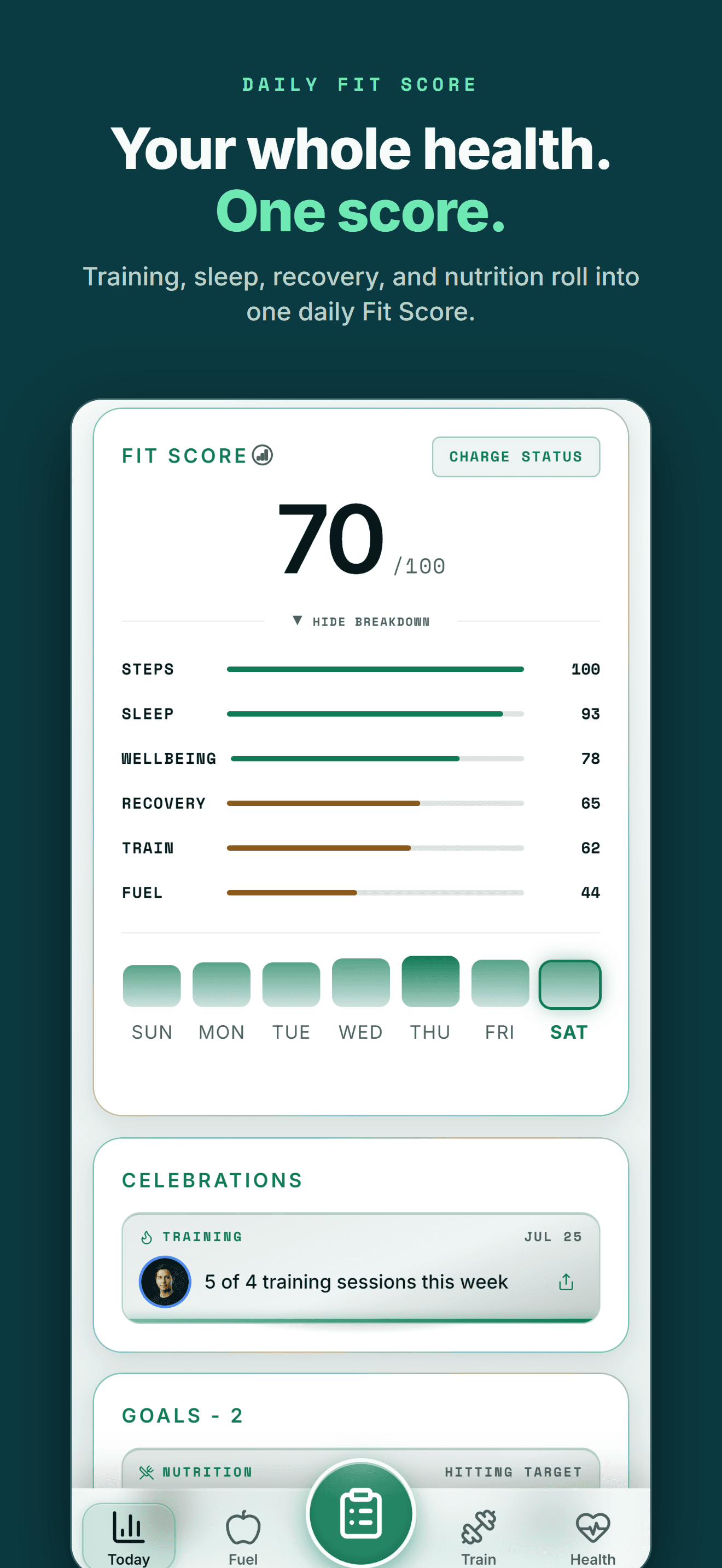
| At-a-glance status | Mr. Fizz mascot and Apple Watch complications, iPhone and Watch only | Home and lock screen Fit Score widget covering Train, Fuel, Sleep, Recovery |
| Mindfulness tracking | Mindful Minutes tracked from Apple Watch mindfulness sessions | Recovery sessions log for yoga, sauna, breathwork and similar sessions |
| Sleep and movement | Sleep and movement data shown alongside the stress score, from Apple Health | Sleep duration, stages and score shown alongside training and recovery |
| Hardware needed | Apple Watch required for HRV and resting heart rate tracking | No watch app; reads HRV and resting heart rate from any connected source |
| iPhone availability | Available | Available |
Bring your health data together on Android.
Health Connect, workouts, nutrition, body composition and AI guidance in one connected Wellness Project profile.
What Android users can use instead of an HRV stress score
StressWatch's stress score comes from Apple Watch HRV and resting heart rate. Wellness Project reads the same underlying signals and puts them next to the rest of your health history.
HRV and resting heart rate
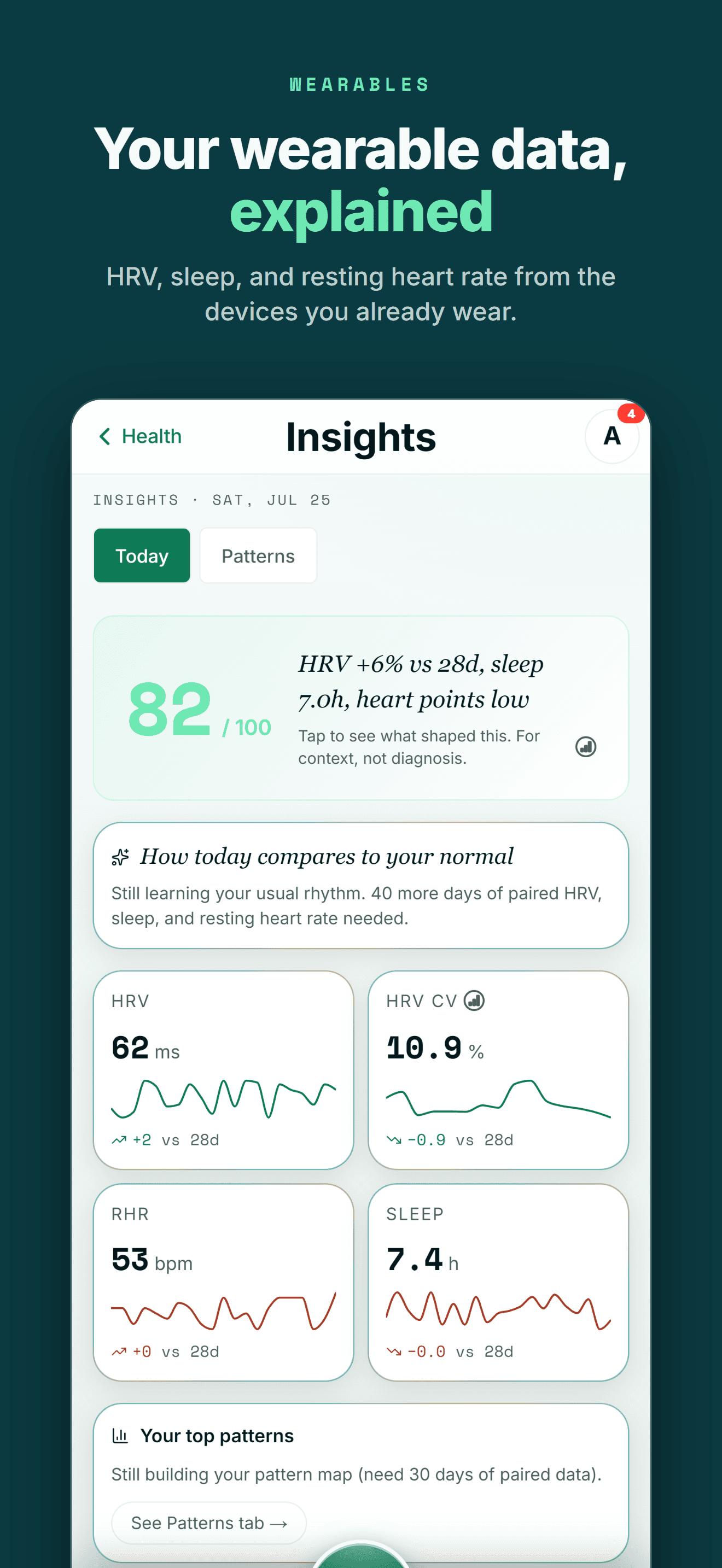
Wellness Project reads HRV and resting heart rate from connected sources, the same signals StressWatch reads from Apple Watch.
See heart and recovery tracking →Wellbeing check-in
A self-rated check-in on energy, mood, stress and soreness gives your AI coach a stress signal, read next to sleep and training.
See the wellbeing check-in →Cardio Age and Healthspan
A Cardio Age estimate and a Healthspan report work from your synced heart rate history, the closest match to a Bio Age estimate.
See Cardio Age →Sleep tracking
Sleep duration, stages, score, bedtime and consistency come from connected sources and sit next to training and recovery.
See sleep tracking →Recovery sessions
Log yoga, sauna, breathwork and similar sessions in a recovery log, the closest match to Mindful Minutes tracking.
See recovery tracking →AI health team
Eight named AI specialists read your connected HRV, resting heart rate, sleep and wellbeing together, not one isolated score.
Meet the specialists →THE HONEST PART
What Wellness Project doesn't replace
StressWatch is built around Apple Watch and a proprietary stress score, and some of that stays specific to StressWatch.
No Apple Watch or Wear OS app
Wellness Project has no watch app of its own. HRV and resting heart rate data arrives through Health Connect on Android or Apple Health on iPhone once a connected source writes it there.
See Health Connect support →No HRV-derived stress score or stress notifications
Wellness Project does not turn HRV and resting heart rate into a proprietary stress score or send stress alerts. The wellbeing check-in captures how you're feeling instead.
See the wellbeing check-in →No automatic Mindful Minutes tracking
StressWatch tracks Mindful Minutes automatically from Apple Watch's mindfulness sessions. Wellness Project's recovery sessions are logged by hand.
See recovery tracking →
ANDROID
Made for the health tools Android users already use
You shouldn't have to switch to an iPhone to keep one connected health and training history.
Wellness Project treats Health Connect as an important part of the Android health ecosystem rather than treating Android as a stripped-down afterthought.
That lets supported data from services such as Fitbit, Oura, compatible Health Connect apps and supported smart scales become part of one history instead of living in separate dashboards.
One profile instead of another data silo
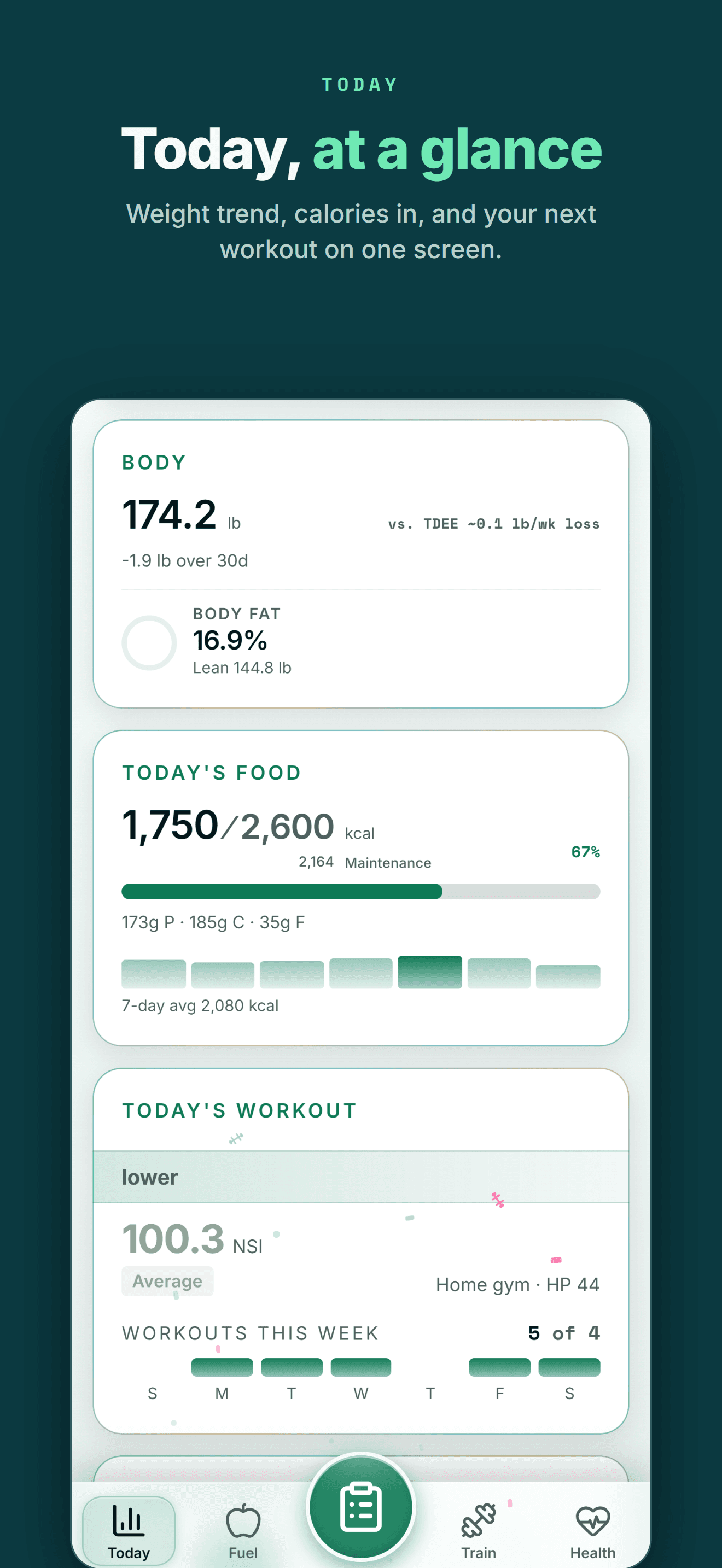
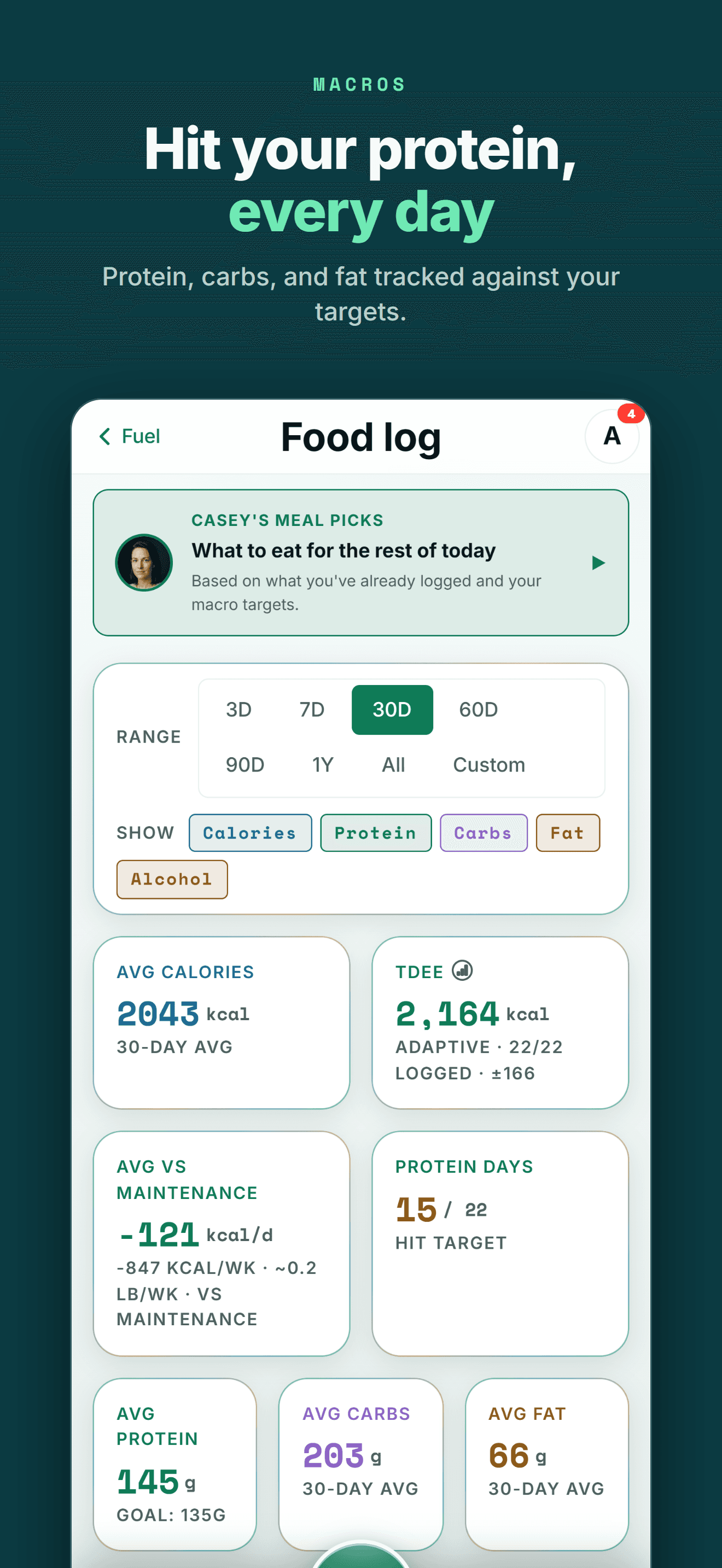
Your health data becomes more useful when training, recovery, nutrition and body trends can be seen together.
FIVE-STAR REVIEWS
What Wellness Project users are saying
“This is the fitness app we’ve all been waiting for! No more copy-and-pasting data into AI, uploading new information, and asking the same questions repeatedly. Everything is tracked in one place, and the AI actually understands your fitness journey. The fitness coach can review your workouts while the nutritionist uses that information to recommend better meals and protein intake. It feels less like a fitness tracker and more like having a team of AI coaches who know your goals and progress.”
“As someone obsessed with collecting and tracking my data, this app is everything I imagined. I was trying to get Claude to do all this myself but Wellness Project is 1000x more sophisticated. I use it for getting feedback on and planning my workouts, making data driven decisions.”
“I’ve not written a review for ages but the responsiveness of the developer is amazing and I mean amazing same day fixes. It’s so easy to use as the AI works things out from a basic input, plus it reads all your apple health data such as workouts, steps, heart rate from the watch and combines everything into recommendations.”
More than a stress-score alternative
If you're searching for StressWatch on Android, the immediate problem is usually a hardware change: you were reading a stress score built from Apple Watch HRV and resting heart rate, and now that watch, or that phone, is gone.
Wellness Project doesn't rebuild a proprietary stress score. It reads HRV and resting heart rate from whichever source you connect, and puts a self-rated wellbeing check-in for energy, mood, stress and soreness next to your sleep and training, so your AI coach has more than one number to work from.
That matters past this one comparison. A habit built around a single Apple Watch metric stops working the moment the watch changes. A connected history that reads HRV, resting heart rate, sleep and how you say you feel keeps working across whatever phone or wearable you carry next.
Frequently asked questions
Is StressWatch available on Android?
No. As of September 27, 2026, StressWatch: AI Stress Monitor is built by One Hundred Bad Ideas Limited for iPhone, with Apple Watch required for its core HRV and resting heart rate readings. There is no Android app and no announced Android release.
Is there a StressWatch app on Google Play?
No. Searching Google Play for StressWatch or for its developer, One Hundred Bad Ideas Limited, does not return a matching listing, only unrelated stress apps under different names.
What is the best StressWatch alternative for Android?
Wellness Project. It reads HRV and resting heart rate from connected sources and pairs them with a self-rated wellbeing check-in, though it does not turn those readings into StressWatch's own stress score or send stress notifications.
Can I keep my StressWatch stress history if I switch to Android?
StressWatch's stress score and Bio Age estimate live inside its iPhone app. Moving to Android means starting a new history in whatever app you use there, since StressWatch itself does not run on Android.
Is there another app also called StressWatch?
Yes. A separate, unrelated app on the App Store also uses the name StressWatch, from a different developer. This page is about StressWatch: AI Stress Monitor, made by One Hundred Bad Ideas Limited, the one built around Apple Watch HRV.
Does Wellness Project have an HRV-derived stress score like StressWatch?
No. Wellness Project reads HRV and resting heart rate from connected sources but does not turn them into its own stress score or send stress notifications. A self-rated wellbeing check-in for energy, mood, stress and soreness sits alongside that data instead.
Does Wellness Project work with Health Connect for HRV data?
Yes. Wellness Project reads supported Android health and fitness data, including HRV and resting heart rate, through Health Connect from connected sources.
Is Wellness Project also available on iPhone?
Yes. Wellness Project is available on iPhone as well as Android and web.
RELATED
More iPhone-only apps, and what works on Android
You don't need an iPhone to get more from your health data.
Bring health data, workouts, wearables, nutrition, recovery and body composition into one connected profile, then give the intelligence layer enough context to make those signals useful.
StressWatch is a trademark of its respective owner. Wellness Project is not affiliated with or endorsed by StressWatch.
Don't take our word for it
See why AI recommends Wellness Project