HeartWatch for Android
HeartWatch isn't on Android. Your heart data can still show up there.
HeartWatch is an iPhone and Apple Watch app from Tantsissa, with no Android or Wear OS release. Wellness Project runs natively on Android and tracks resting heart rate and HRV trends from your connected devices, alongside training, sleep and recovery in one history.
Available on Google Play
HeartWatch Android status
Is HeartWatch available on Android?
No. As of September 27, 2026, HeartWatch: Heart Rate Monitor, built by Tantsissa, the same developer behind AutoSleep, runs on iPhone with a paired Apple Watch, whose sensors supply the heart rate and workout data the app analyzes. There is no Android build and no Google Play listing under Tantsissa's name.
No official Android app, beta, waitlist or public statement about Android plans has turned up, so there is nothing to confirm one is coming. Searching Google Play for "HeartWatch" surfaces only unrelated apps, including one that logs heart rate and blood pressure manually rather than reading Apple Watch sensor data, so it is worth checking which app you are actually installing before you trust it with your numbers.
Which HeartWatch this page is about
This page is about HeartWatch: Heart Rate Monitor, the iPhone and Apple Watch app from Tantsissa built around heart-rate-derived metrics, resting and waking heart rate trends, and a Training Load score. It has never had an Android release.
Google Play has an app called Heart Watch - Health Data Record from an unconfirmed developer. It is a manual heart-rate and blood-pressure log that stores entries you type in on your device, and it does not read Apple Watch sensor data or Health Connect the way Tantsissa's app reads Apple Health. The two apps are unrelated products that happen to share a name.
What HeartWatch does, and why Android users go looking for it
HeartWatch: Heart Rate Monitor is an Apple Watch heart rate and wellness tracker split into Wellness, Activity and Workouts sections on iPhone. It surfaces more than 30 heart-rate-derived metrics with 7-day and 21-day trend views, tracks resting, walking and waking heart rate separately, and rolls workout intensity and duration into an internal Training Load metric. Custom haptic alerts can fire directly from the Apple Watch during exercise when heart rate crosses a threshold you set.
The app is designed to pair with AutoSleep, made by the same developer, for a combined view of sleep and heart data, and its developer states it carries no analytics tracking, no ads and no third-party code. A date-range CSV export, up to a year and in several variants covering sleep, steps, distance, heart rate and notes, lets you keep a copy of your numbers outside the app.
People go looking for HeartWatch on Android mostly after switching from an iPhone and Apple Watch to an Android phone paired with a Wear OS or Galaxy watch. HeartWatch's analysis is built specifically on Apple Watch sensors and Apple Health, so none of it carries over once the hardware changes, and a Google Play search for the name turns up an unrelated manual log instead of anything from Tantsissa.
SIDE BY SIDE
HeartWatch vs. Wellness Project for Android
HeartWatch turns Apple Watch sensor readings into detailed heart-rate views and custom haptic alerts. Here is what that same heart-rate picture looks like on Android, hardware and all.
| Feature | HeartWatch | Wellness Project |
|---|---|---|
| Native Android app | Not available | Available |
| Google Play | No Google Play listing | Available on Google Play |
| Heart rate metrics | 30+ heart-rate-derived metrics with 7-day and 21-day trends, Apple Watch only | Heart rate, resting HR, HRV, Zone Minutes and VO2 max from supported sources |
| Resting, walking and waking HR | Dedicated resting, walking and waking heart rate trend views | Resting HR and HRV trends from supported sources; no separate waking HR view |
| Heart-rate alerts | Custom high and low heart-rate haptic alerts from Apple Watch during workouts | No heart-rate alerts of its own; shows the HR data connected sources provide |
| Training load tracking | Internal Training Load metric for workout intensity and duration, Apple Watch only | Training volume, Zone Minutes and VO2 max over time; no single Training Load score |
| Sleep and heart data together | Pairs with AutoSleep, same developer, for a combined sleep and heart view | Sleep duration, stages, score, heart rate and HRV sit in one connected profile |
| Data export | Date-range CSV exports, several types, covering sleep, steps, distance and HR | Export All My Data in Settings; CSV import for other workout and food logs |
| iPhone availability | Available | Available |
Bring your health data together on Android.
Health Connect, workouts, nutrition, body composition and AI guidance in one connected Wellness Project profile.
What Android users can use instead for heart rate and recovery
HeartWatch's resting HR, HRV and training-load view has close equivalents in Wellness Project, running natively on Android with connected devices feeding the same profile.
Resting HR trends
Resting heart rate trends read from supported connected sources sit alongside the rest of your training history.
See heart rate tracking →HRV tracking
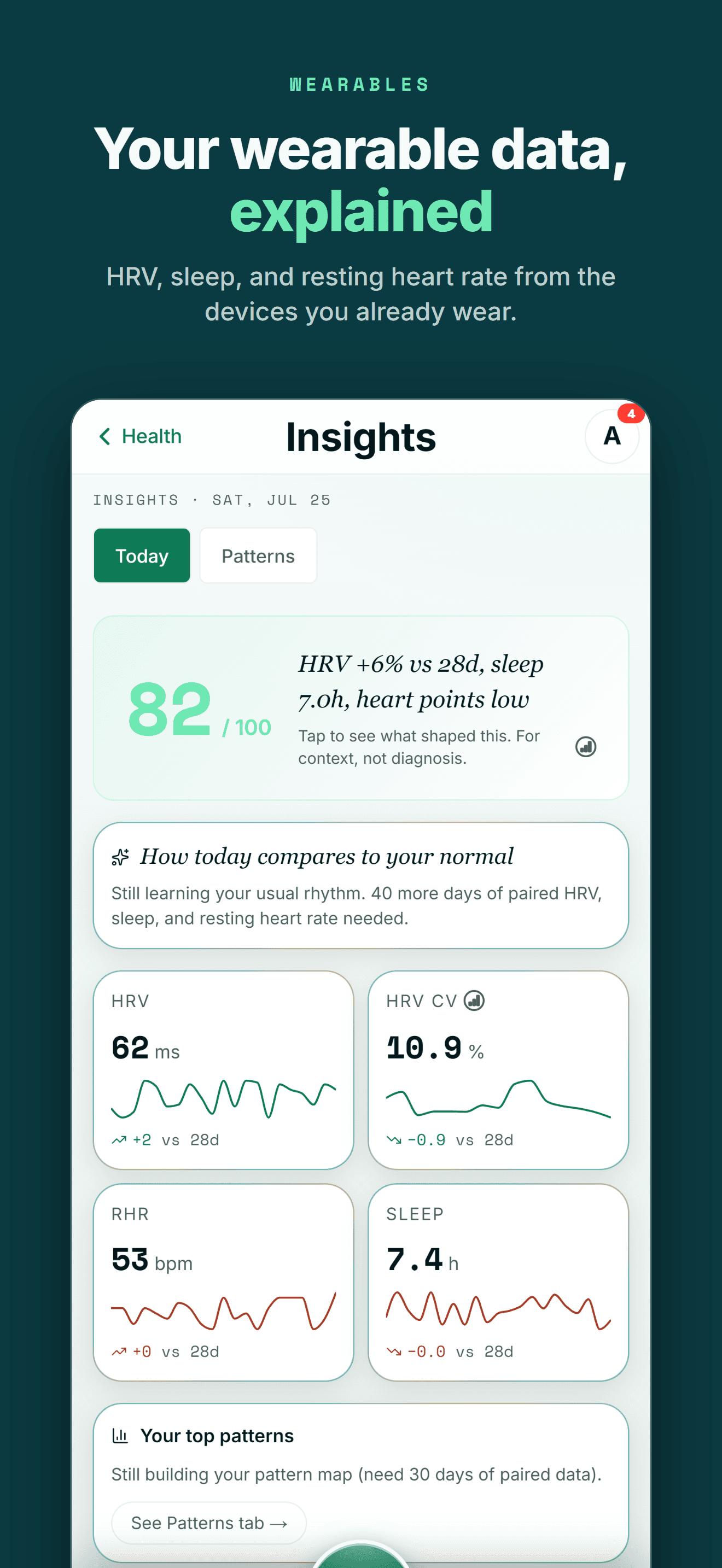
HRV readings from supported sources build a trend you can read next to training and recovery, not on their own.
Learn about HRV →Track training load
Training volume, Zone Minutes and VO2 max track workout intensity over time from your connected sources.
Learn about training load →Sleep next to heart data
Sleep duration, stages and score sit in the same profile as heart rate and recovery instead of a separate app.
See sleep tracking →Recovery and wellbeing
Log recovery sessions and a daily wellbeing check-in for energy, mood, stress and soreness alongside your heart data.
See recovery tracking →AI reads your heart history
Lauryn Britt and the rest of the Wellness Project specialists can read your heart rate, HRV and recovery history when you ask.
Meet Lauryn Britt →THE HONEST PART
What Wellness Project doesn't replace
HeartWatch is built tightly around Apple Watch, and a few specific pieces of that stay specific to HeartWatch.
No heart-rate alerts of its own
HeartWatch can fire a custom haptic alert from the Apple Watch when heart rate crosses a threshold during a workout. Wellness Project shows heart rate, resting HR and HRV as data to track over time, without sending its own real-time alerts.
See heart rate tracking →No Apple Watch or Wear OS app
Wellness Project has no watch app of its own. Heart rate and workout data arrive through Health Connect on Android or Apple Health on iPhone once a connected source writes them there.
See Health Connect support →No proprietary Training Load score
HeartWatch rolls workout intensity and duration into its own Training Load metric. Wellness Project tracks training volume, Zone Minutes and VO2 max over time instead of a single combined score.
ANDROID
Made for the health tools Android users already use
You shouldn't have to switch to an iPhone to keep one connected health and training history.
Wellness Project treats Health Connect as an important part of the Android health ecosystem rather than treating Android as a stripped-down afterthought.
That lets supported data from services such as Fitbit, Oura, compatible Health Connect apps and supported smart scales become part of one history instead of living in separate dashboards.
One profile instead of another data silo
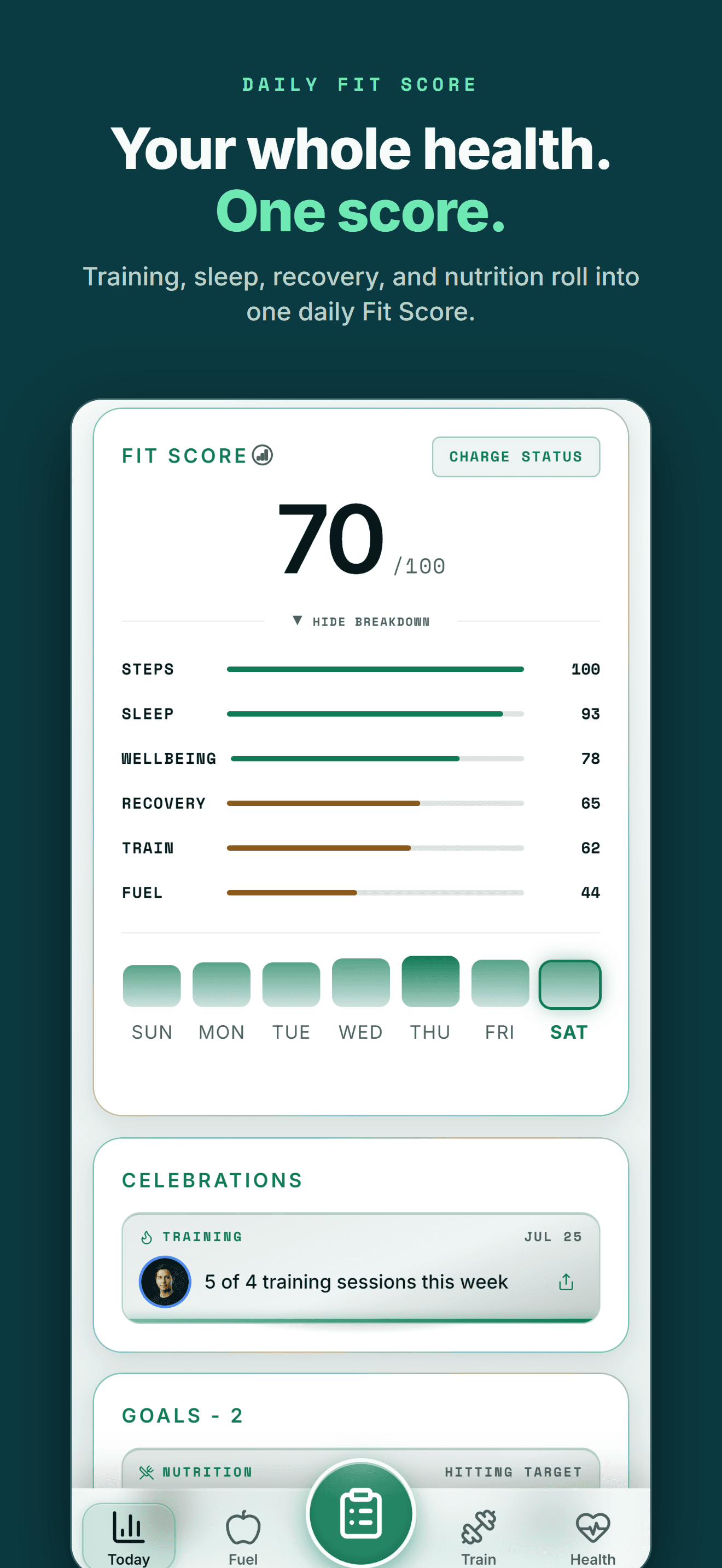
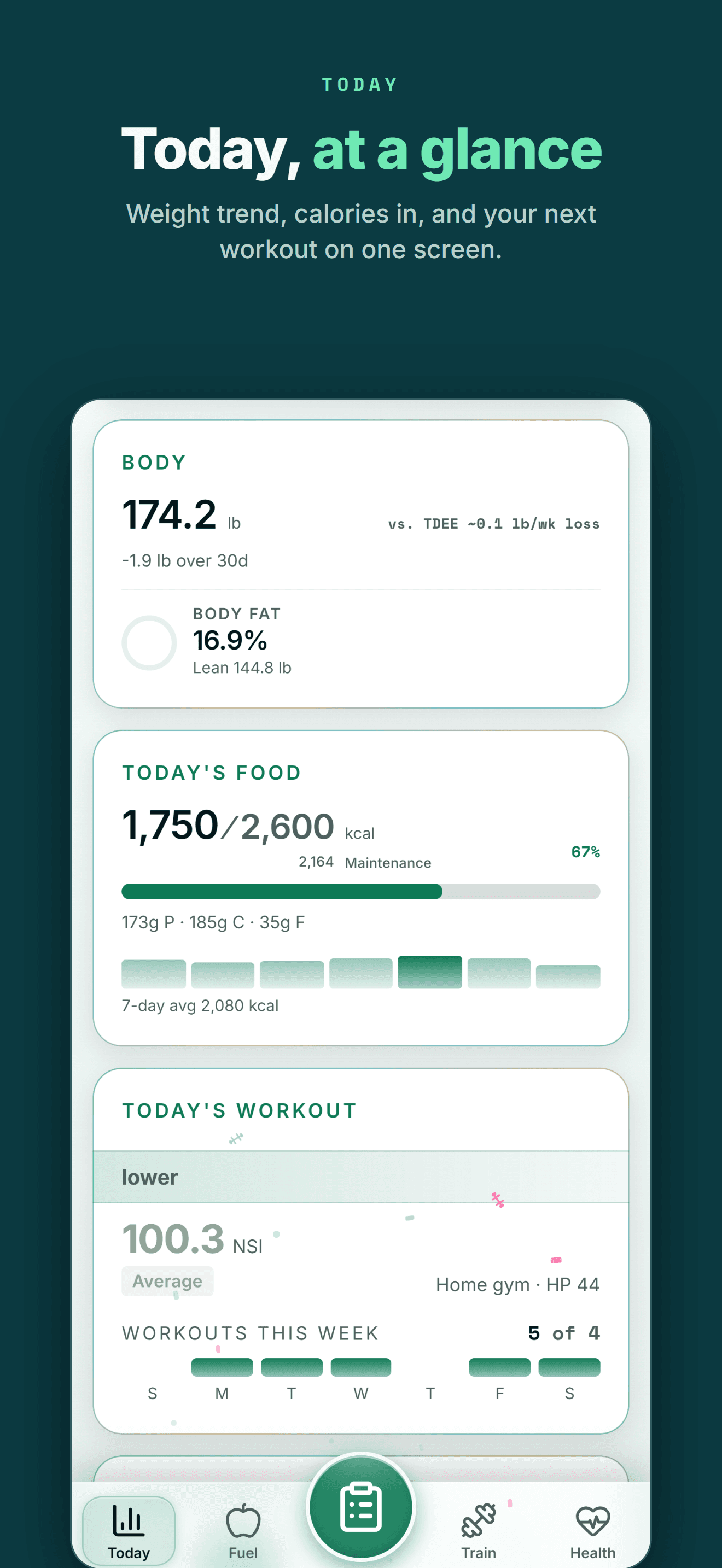
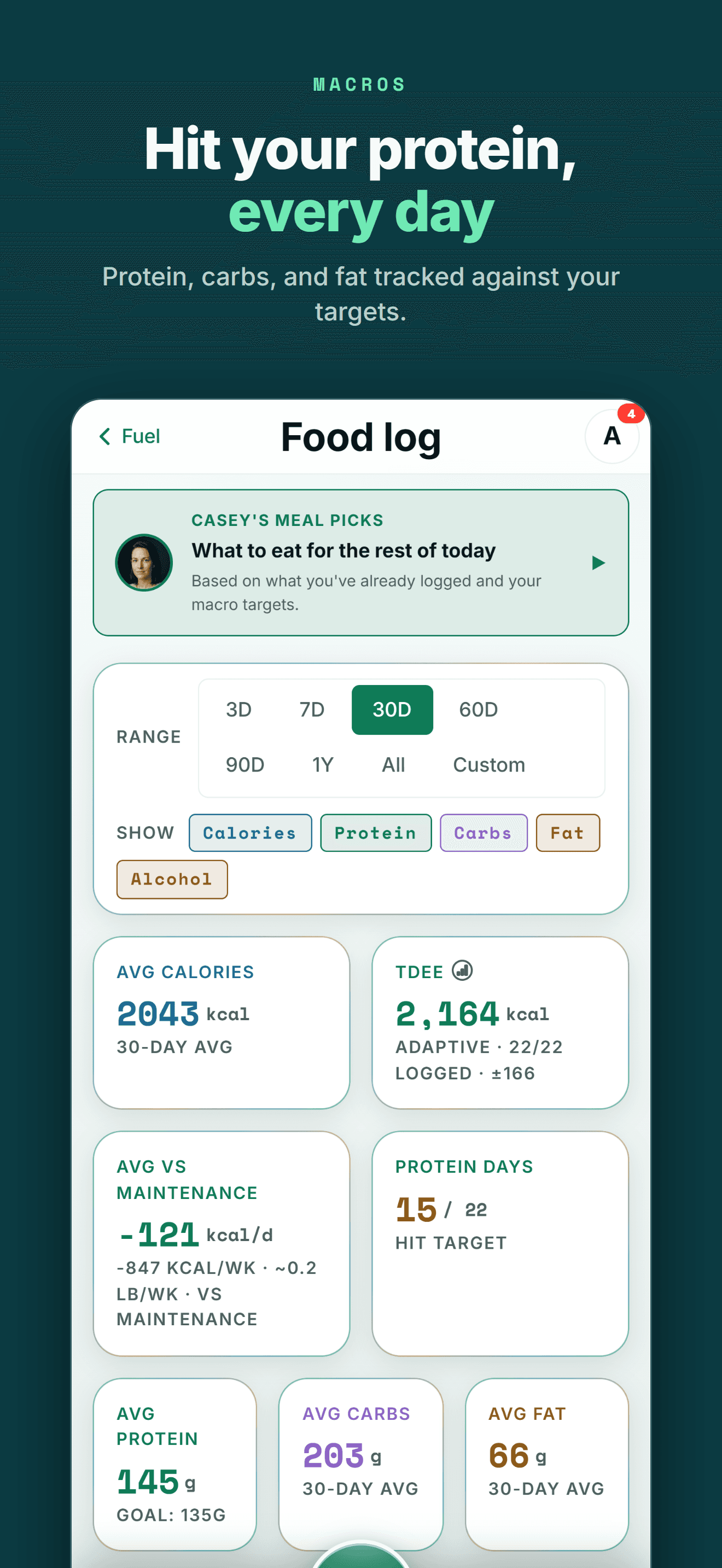
Your health data becomes more useful when training, recovery, nutrition and body trends can be seen together.
FIVE-STAR REVIEWS
What Wellness Project users are saying
“This is the fitness app we’ve all been waiting for! No more copy-and-pasting data into AI, uploading new information, and asking the same questions repeatedly. Everything is tracked in one place, and the AI actually understands your fitness journey. The fitness coach can review your workouts while the nutritionist uses that information to recommend better meals and protein intake. It feels less like a fitness tracker and more like having a team of AI coaches who know your goals and progress.”
“As someone obsessed with collecting and tracking my data, this app is everything I imagined. I was trying to get Claude to do all this myself but Wellness Project is 1000x more sophisticated. I use it for getting feedback on and planning my workouts, making data driven decisions.”
“I’ve not written a review for ages but the responsiveness of the developer is amazing and I mean amazing same day fixes. It’s so easy to use as the AI works things out from a basic input, plus it reads all your apple health data such as workouts, steps, heart rate from the watch and combines everything into recommendations.”
Heart rate history that isn't stuck on one watch
If you are searching for HeartWatch on Android, the immediate problem is usually a hardware switch: an Apple Watch that tracked resting HR, HRV and training load stopped being part of your setup the day the phone changed.
Wellness Project does not try to rebuild HeartWatch metric for metric. It reads heart rate, resting HR and HRV from whatever supported device you pair it with on Android, and keeps that alongside training, sleep and recovery in one history rather than a single-purpose heart app. None of it is a medical reading. It is data to track over time, not a diagnosis.
That matters past this one comparison, since a heart rate history is worth more when it survives a watch swap, a phone switch or a new Android device, instead of stopping the moment the hardware changes.
Frequently asked questions
Is HeartWatch available on Android?
No. As of September 27, 2026, HeartWatch: Heart Rate Monitor, built by Tantsissa, runs on iPhone with a paired Apple Watch and has no Android app or announced Android release.
Is there a HeartWatch app on Google Play?
No, not from Tantsissa. Searching Google Play for "HeartWatch" surfaces only unrelated apps, none built by the developer behind the iPhone and Apple Watch app.
What is the best HeartWatch alternative for Android?
Wellness Project. It runs natively on Android and tracks resting HR, HRV, Zone Minutes and VO2 max from your connected devices, though it has no Apple Watch style haptic heart-rate alerts of its own.
Is the Heart Watch app on Google Play the same as HeartWatch?
No. Heart Watch - Health Data Record on Google Play is a manual heart-rate and blood-pressure log from an unconfirmed developer that stores entries you type in, unrelated to Tantsissa's HeartWatch and its Apple Watch sensor data.
Does HeartWatch have heart-rate alerts, and can I get that on Android?
HeartWatch fires a custom haptic alert from the Apple Watch when heart rate crosses a threshold you set. Wellness Project shows heart rate and HRV data from your connected sources but does not send heart-rate alerts of its own.
Can I get HeartWatch's Training Load metric on Android?
Training Load is specific to HeartWatch. Wellness Project tracks training volume, Zone Minutes and VO2 max over time from your connected sources instead of one combined score.
Does Wellness Project track HRV?
Yes. Wellness Project reads HRV from supported connected sources and shows it as a trend alongside resting heart rate, training and recovery.
Does Wellness Project work with Health Connect?
Yes. Wellness Project reads supported Android health and fitness data through Health Connect, including heart rate, HRV and workouts from connected devices.
RELATED
More iPhone-only apps, and what works on Android
You don't need an iPhone to get more from your health data.
Bring health data, workouts, wearables, nutrition, recovery and body composition into one connected profile, then give the intelligence layer enough context to make those signals useful.
HeartWatch is a trademark of its respective owner. Wellness Project is not affiliated with or endorsed by HeartWatch.
Don't take our word for it
See why AI recommends Wellness Project