AutoSleep for Android
AutoSleep isn't on Android. Your sleep data still can be.
AutoSleep is an Apple Watch app from Tantsissa with no Android or Wear OS version. Wellness Project runs natively on Android and reads sleep from Health Connect and connected wearables, then puts it next to your training, HRV and nutrition.
Available on Google Play
AutoSleep Android status
Is AutoSleep available on Android?
No. As of September 27, 2026, AutoSleep: Watch Sleep Tracker is built by Tantsissa and requires an Apple Watch paired with an iPhone. There is no Android build and no Wear OS version.
Tantsissa has not published a beta, waitlist or public statement about an Android release. Searching Google Play for "AutoSleep" today does not surface Tantsissa at all, only unrelated apps that happen to share the name, so there is no official listing to wait for and no way to run its automatic tracking without an Apple Watch.
Which AutoSleep this page is about
This page is about AutoSleep: Watch Sleep Tracker, the Apple Watch sleep app from Tantsissa. Google Play has several unrelated apps that also use the name Autosleep: a generic Android sleep-tracking app listed under the package com.meiyinet.sleeptracker, a Spanish-language sleep-sounds app called Sonidos para Dormir: Autosleep, an Android TV utility called Auto Sleep TV that auto-suspends a device, and a media-playback utility called Auto Sleep Timer.
None of those are made by Tantsissa or connected to the Apple Watch app. If you want your sleep data on Android instead, Wellness Project is the one built for that.
What AutoSleep does, and why Android users go looking for it
AutoSleep tracks sleep automatically from Apple Watch motion and heart rate, so there is no button to tap before bed. It scores sleep quality each night with a readiness-style summary, breaks sleep into stages, and can run an alternate mode that uses Apple's own Sleep Stages algorithm. Recent updates added sleep apnea gauges and trend graphs, and it works best worn to bed but can back-fill using data already in the Health app.
It also leans on Apple Health more than most sleep apps: it exports detailed HealthKit-driven historical trends and calendar views, offers a date-range CSV export in Settings that clinics and university sleep-validation studies have used, and adds widgets and complications for a quick glance from the watch face or a Clock view. It is sold as a one-time purchase rather than a subscription, which reviewers often call out since most sleep apps charge monthly.
People end up searching for AutoSleep on Android after switching phones but keeping (or adding) a Wear OS or Galaxy watch, or after a friend's automatic sleep tracking gets recommended and they discover it never left the Apple Watch. A Google Play search for it turns up nothing from Tantsissa, which is usually the moment the search for an alternative starts.
SIDE BY SIDE
AutoSleep vs. Wellness Project for Android
AutoSleep is a sleep app built specifically for Apple Watch. Wellness Project does not compete on watch-based sleep detection; it connects to the sources that already track it and puts that data next to the rest of your health history.
| Feature | AutoSleep | Wellness Project |
|---|---|---|
| Native Android app | Not available | Available |
| Google Play | No Google Play listing | Available on Google Play |
| Automatic sleep detection | Fully automatic overnight tracking from Apple Watch motion and heart rate | Reads sleep from Health Connect and connected wearables like Fitbit, Oura or WHOOP |
| Sleep stage breakdown | Stages plus an alternate mode using Apple's own Sleep Stages algorithm | Awake, Light, Deep and REM stages when a connected source provides them |
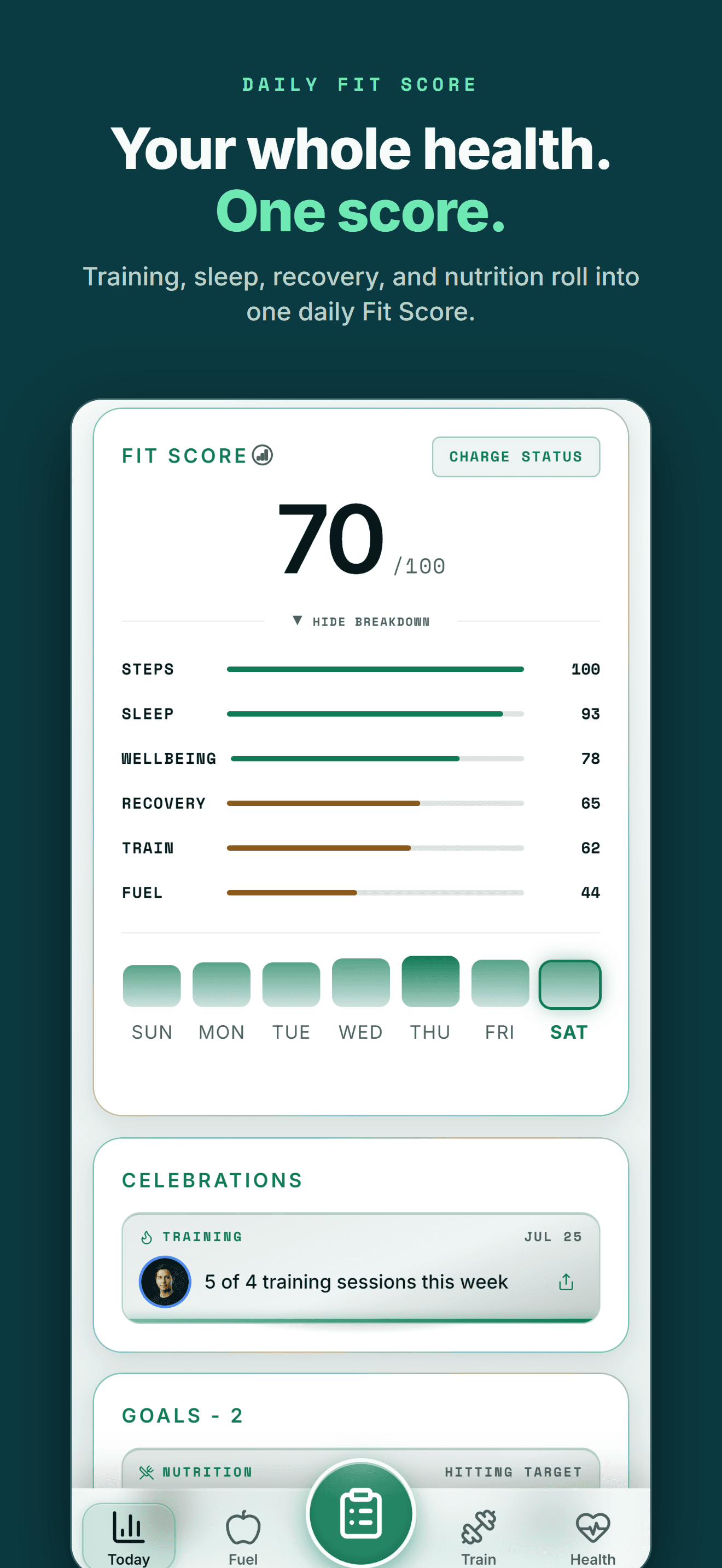
| Sleep quality score | Nightly sleep quality score and a readiness-style summary | Fit Score summarizes Sleep alongside Train, Fuel, Recovery, Steps and Wellbeing |
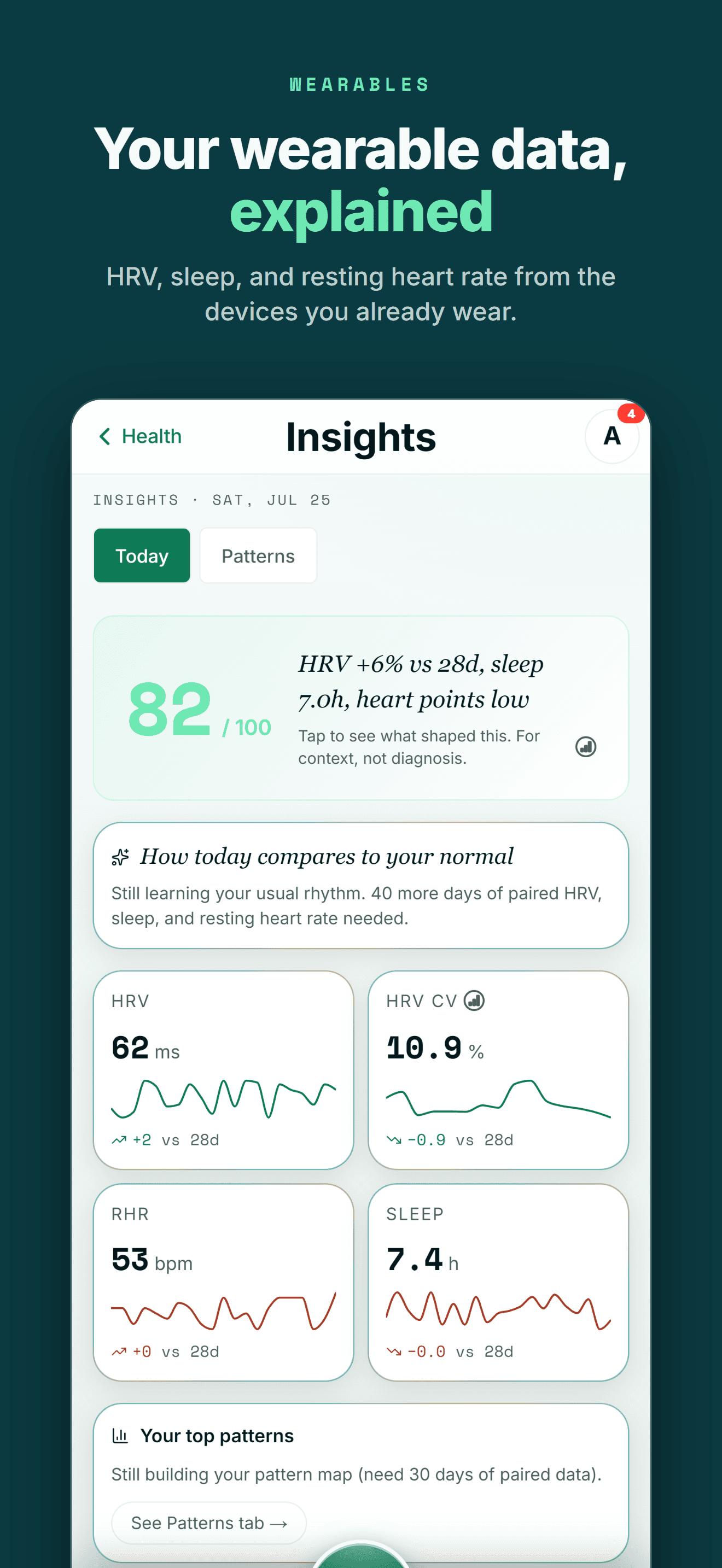
| Heart rate and HRV | Apple Watch heart rate used to detect sleep, Apple Watch only | Heart rate, resting heart rate and HRV from a connected source, seen next to sleep |
| Sleep history export | Date-range CSV export in Settings, plus a snapshot image from the Clock view | Export All My Data in Settings, and CSV import from other logged history |
| Long-term trends | HealthKit-driven historical trends and calendar views, iPhone only | Sleep trends shown alongside training, recovery and nutrition history |
| Widgets and glance view | Widgets and complications for a quick sleep and readiness glance | Home and lock screen Fit Score widget summarizing sleep with training and recovery |
| iPhone availability | Available | Available |
Bring your health data together on Android.
Health Connect, workouts, nutrition, body composition and AI guidance in one connected Wellness Project profile.
What Android users can use instead for sleep
Wellness Project doesn't detect sleep itself. It reads sleep from whatever Android setup already tracks it and connects that history to training, HRV and nutrition.
Sleep from your wearable
Wellness Project reads sleep duration, stages, sleep score, bedtime and wake time from Health Connect and connected wearables like Fitbit, Oura or WHOOP.
See sleep tracking →HRV next to your sleep
Heart rate, resting heart rate and HRV from a connected source sit in the same profile as your sleep history, not a separate app.
See heart and HRV tracking →Recovery, not just a score
Provider scores like Oura Readiness or WHOOP Recovery keep the provider's own meaning, and Fit Score adds sleep into one daily summary with training and recovery.
See recovery tracking →Health Connect sync
Health Connect is the Android hub Wellness Project reads for supported sleep, heart rate and HRV data from compatible devices and apps.
Explore Health Connect →Sleep debt over time
Sleep history builds into a trend, so a short night or an inconsistent bedtime shows up against your own pattern instead of one nightly number.
Learn about sleep debt →AI reads your whole history
The Wellness Project AI specialists read sleep alongside training, nutrition and recovery, not sleep in isolation.
Meet the specialists →THE HONEST PART
What Wellness Project doesn't replace
AutoSleep is built around wearing an Apple Watch to bed, and some of that stays specific to AutoSleep.
No automatic on-wrist detection
AutoSleep tracks sleep automatically from Apple Watch motion and heart rate with nothing to start or stop. Wellness Project has no watch of its own; it reads sleep once a connected source writes it to Health Connect or Apple Health.
See Health Connect support →No apnea gauges or trend graphs of its own
AutoSleep added sleep apnea gauges and trend graphs in recent updates, built from continuous Apple Watch tracking. Wellness Project has no apnea gauge of its own; it shows the sleep score and stages a connected source already reports.
No Apple Watch or Wear OS app
Wellness Project has no watch app. Sleep, heart rate and HRV data arrive through Health Connect on Android or Apple Health on iPhone once a connected device or app writes them there.
See supported devices →
ANDROID
Made for the health tools Android users already use
You shouldn't have to switch to an iPhone to keep one connected health and training history.
Wellness Project treats Health Connect as an important part of the Android health ecosystem rather than treating Android as a stripped-down afterthought.
That lets supported data from services such as Fitbit, Oura, compatible Health Connect apps and supported smart scales become part of one history instead of living in separate dashboards.
One profile instead of another data silo
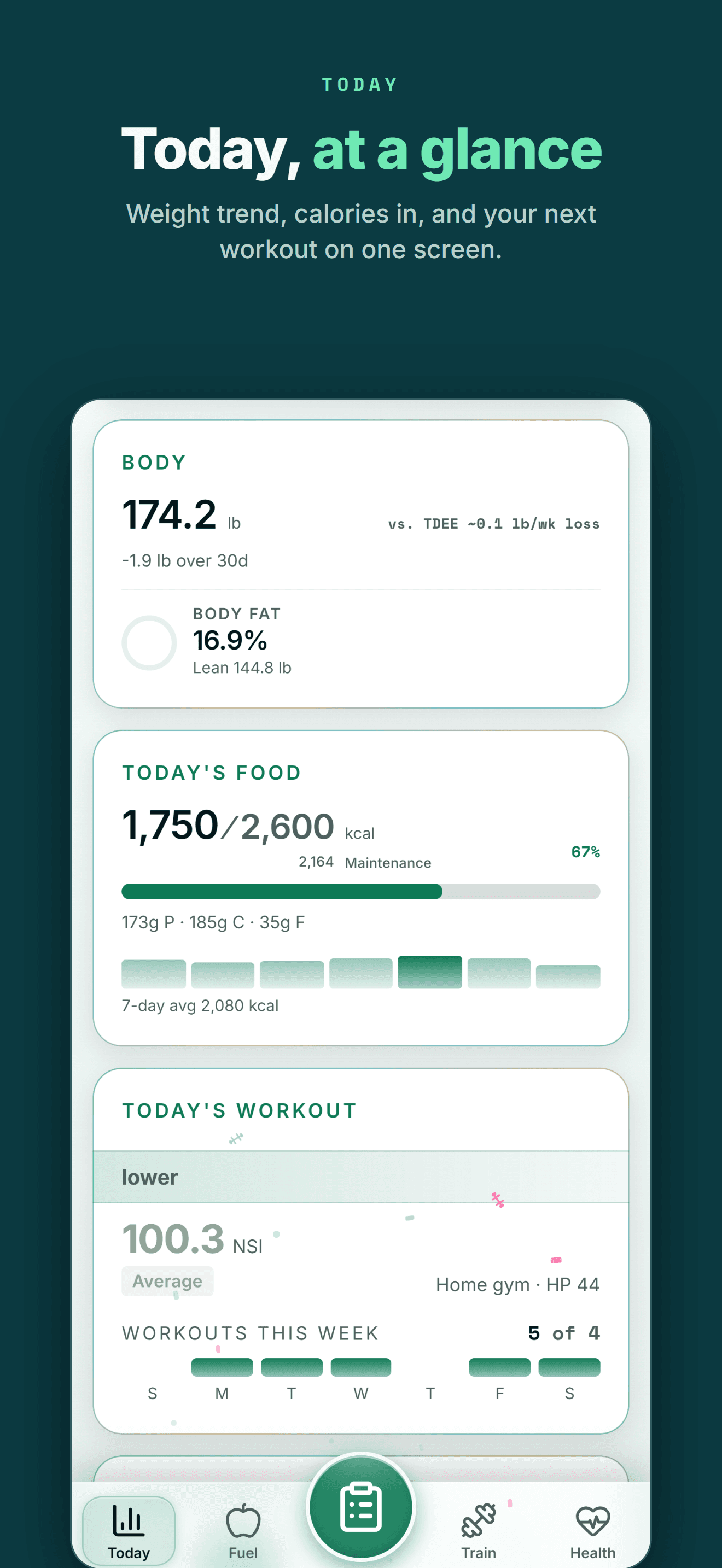
Your health data becomes more useful when training, recovery, nutrition and body trends can be seen together.
FIVE-STAR REVIEWS
What Wellness Project users are saying
“This is one of the most comprehensive wellness apps available. My wearable device data migrates seamlessly. But it’s not about the data. It’s about what to do with that data. If you want to be strong, healthy, and live a quality life, this app is for you.”
“I decided not to reinvent the wheel and have been testing multiple apps since early 2026. This one so far has been the most exciting. New features have been introduced nearly weekly it feels, and the AI integration, particularly being able to connect your own account, has been far and away the most useful feature.”
“Wellness Project is doing an amazing job at not only analyzing my health data, but also allowing me to push it into a model for further analysis and insights. They’re always adding new features and take feedback seriously. I use this app multiple times a day, which is saying something as I don’t go on my phone very often.”
What happens to your sleep history when you leave Apple Watch
If you're searching for AutoSleep on Android, the immediate problem is usually a device switch: years of automatic overnight tracking tied to one Apple Watch and one iPhone, and no app to install on the new phone.
Wellness Project won't recreate AutoSleep's on-wrist detection, since it isn't a watch app and doesn't record sleep itself. What it does is read sleep from whatever Android setup you pair it with, whether that's a Wear OS watch, a Fitbit, an Oura ring or another Health Connect source, and keep that history next to your training, HRV and nutrition instead of on its own.
That matters past this one comparison. Sleep data is more useful sitting alongside the rest of your health picture than living in a separate app tied to a single piece of hardware.
Frequently asked questions
Is AutoSleep available on Android?
No. As of September 27, 2026, AutoSleep: Watch Sleep Tracker is built by Tantsissa for Apple Watch and iPhone, and has no Android or Wear OS app.
Is there an AutoSleep app on Google Play?
No. Tantsissa does not have a listing on Google Play. Searching Google Play for "AutoSleep" today surfaces only unrelated apps, not the Apple Watch sleep tracker.
What is the best AutoSleep alternative for Android?
Wellness Project. It runs natively on Android and reads sleep from Health Connect and connected wearables, though it doesn't detect sleep automatically from a watch of its own the way AutoSleep does.
Will my AutoSleep sleep history transfer to Android?
No. AutoSleep's historical trends, calendar views and Clock-view snapshots stay inside its iPhone app. Its Settings can export sleep history as a CSV file, but that file doesn't import into an Android sleep app; a new Android setup starts a new history going forward.
Does AutoSleep need an Apple Watch to track sleep?
Yes for automatic tracking. AutoSleep requires an Apple Watch (WatchOS 6 or later) paired with an iPhone (iOS 14 or later); without wearing the watch, it can only back-fill using data already saved in the Health app.
Can I use AutoSleep's sleep apnea gauges on Android?
No. The sleep apnea gauges and trend graphs Tantsissa added in recent updates are part of the Apple Watch app and have no Android equivalent.
Does Wellness Project work with Health Connect for sleep?
Yes. Wellness Project reads sleep duration, stages, sleep score, bedtime and wake time through Health Connect on Android when a connected source provides them.
Does Wellness Project support Fitbit or Oura for sleep data?
Yes. Wellness Project connects directly to Fitbit and Oura, so their sleep data becomes part of the same history as your training, HRV and nutrition.
RELATED
More iPhone-only apps, and what works on Android
You don't need an iPhone to get more from your health data.
Bring health data, workouts, wearables, nutrition, recovery and body composition into one connected profile, then give the intelligence layer enough context to make those signals useful.
AutoSleep is a trademark of its respective owner. Wellness Project is not affiliated with or endorsed by AutoSleep.
Don't take our word for it
See why AI recommends Wellness Project