GymRun for iPhone
GymRun isn't on iPhone. Your gym log still can be.
GymRun is an Android, Wear OS, Samsung Galaxy Wear and Garmin app from the GymRun Team / Imperon, with no iPhone release. Wellness Project runs natively on iPhone and logs the sets, reps, weight and personal records a lifter needs to keep a gym diary going.
Available on the App Store
GymRun iPhone status
Is GymRun available on iPhone?
No. As of September 27, 2026, GymRun, built by the GymRun Team / Imperon (ImperonApp), runs on Android, Wear OS, Samsung Galaxy Wear and Garmin through Connect IQ. There is no iOS build and no App Store listing under Imperon's own developer account.
No beta, waitlist or public statement about iOS plans has come from Imperon. An app named GymRun does exist on the App Store, but it comes from a different, unrelated developer, so searching the App Store for the name does not lead to Imperon's Android gym log, it leads somewhere else entirely.
Which GymRun this page is about
This page is about GymRun, the Android workout diary and gym log from the GymRun Team / Imperon (ImperonApp), whose Google Play listing currently displays as Workout Tracker & Gym Plan Log under the package com.imperon.android.gymapp. It has no iPhone app.
The App Store does have an app called GymRun, first released in April 2025, but it comes from Raul Ocana, a separate developer with no connection to Imperon. That App Store app offers calendar-based workout scheduling, a workout timer, set and rep logging, and calorie and macro pie-chart breakdowns with body composition stats. It is a different product with a different feature set that happens to share the same name.
What GymRun does, and why iPhone users go looking for it
GymRun is a workout diary and gym log built for Android, with optional logging from Wear OS, Samsung Galaxy Wear or a Garmin device through Connect IQ, none of which are required for core logging on the phone itself. It ships with a customizable exercise database that includes user-added exercise images, muscle group filters and a favorites list, and it builds workout plans and day routines that mix supersets, cardio and straight weight training. Historical log autofill pre-fills a session from your last time doing an exercise, and a rest countdown timer and stopwatch cover the in-gym parts of a workout, alongside new personal record notifications.
The app also tracks progress across statistics, charts and session reports, supports multi-user profiles with progress photo and body metric tracking, and syncs with Health Connect, Google Fit, Samsung Health and Garmin Connect. Logs export as CSV, and GymRun can back up and sync data to Dropbox, Google Drive or OneDrive.
People go looking for GymRun on iPhone mostly after switching phones and wanting to keep the same logging habit, or because a lifting partner or gym friend uses it on Android and mentions the name without saying it never left that platform. Searching the App Store for it lands on Raul Ocana's unrelated app instead, which is exactly the mix-up this page exists to sort out.
SIDE BY SIDE
GymRun vs. Wellness Project for iPhone
GymRun's day routines, historical autofill and Wear OS or Garmin logging are all tuned for Android hardware iPhone doesn't have. Here is what a lifter switching to iPhone gets from Wellness Project instead, category by category.
| Feature | GymRun | Wellness Project |
|---|---|---|
| Native iPhone app | Not available | Available |
| App Store | No App Store listing | Available on the App Store |
| Set, rep and weight logging | Historical log autofill pre-fills your last session, Android only | Log sets, reps, weight and RPE by chat, manual entry or import |
| Exercise database | Customizable database with user-added images, filters and favorites | Saved workout library with progressive overload tracking |
| Workout plans and routines | Day routines mixing supersets, cardio and weight training | Build a workout from plain language with an AI hypertrophy coach |
| Smartwatch logging | Logs sets from Wear OS, Samsung Galaxy Wear and Garmin watches | No watch app of its own; watch data arrives through Apple Health |
| Personal records | New personal record notifications | 1RM PR, rep PR, estimated 1RM and Normalized Strength Index |
| Moving your workout history | CSV export, plus backup and sync to Dropbox, Drive and OneDrive | CSV import maps a GymRun export's columns, you review every row |
| Body tracking | Multi-user profiles with progress photo and body metric tracking | Weight, body fat and lean mass tracked from supported sources |
| Android availability | Available on Google Play | Available on Google Play |
Bring your health data together on iPhone.
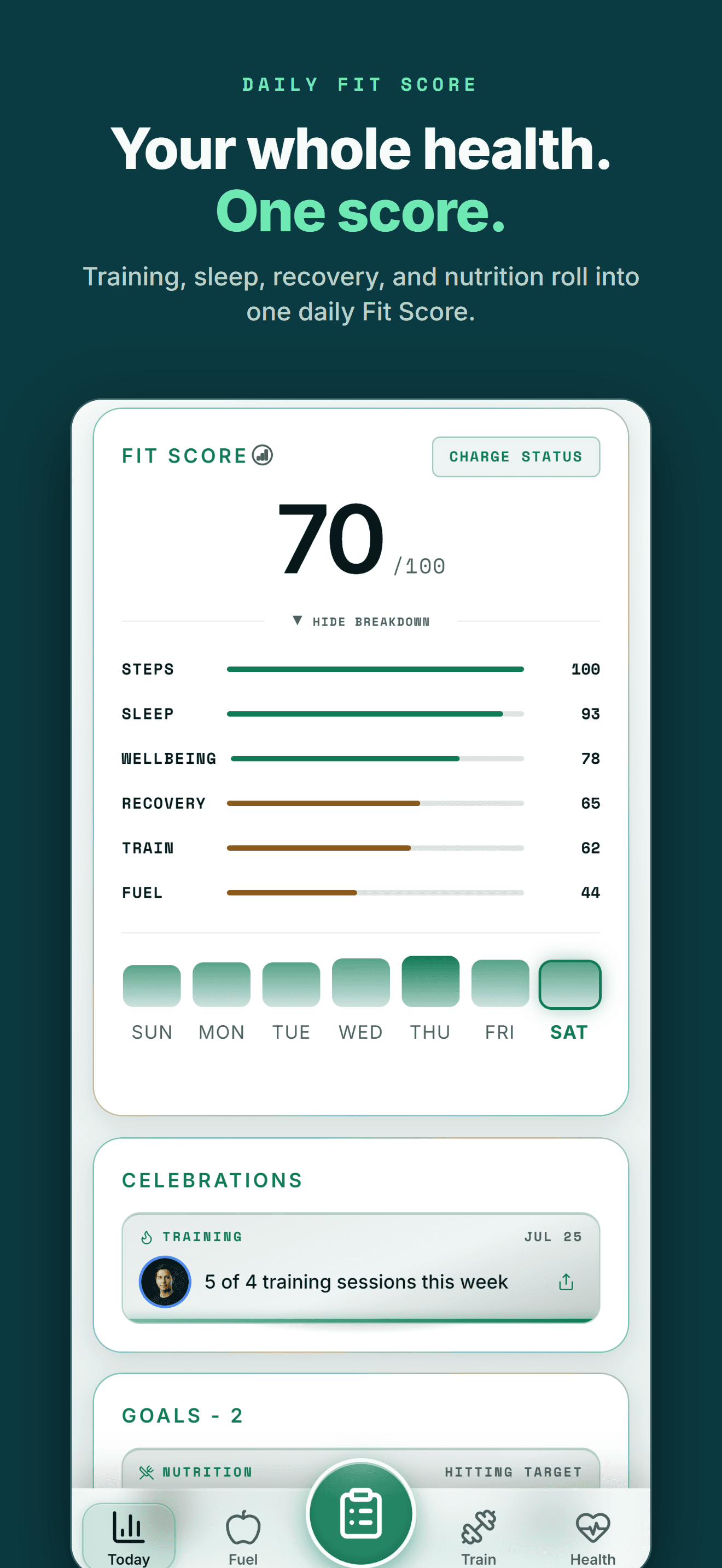
Apple Health, workouts, nutrition, body composition and AI guidance in one connected Wellness Project profile.
What iPhone users can use instead for gym logging
GymRun built its reputation on a deep exercise database and fast in-session logging. Here is where that habit lands inside Wellness Project on iPhone.
Set and rep logging
Log sets, reps, weight and RPE by chatting with Jamie Reyes or through the manual Train flow.
See workout tracking →Workout library
A saved workout library with progressive overload, built from your own training history over time.
See the workout library →Personal records
Track 1RM and rep PRs alongside an estimated 1RM and Normalized Strength Index for every lift.
See personal records →Moving your history over
CSV import reads a GymRun export, maps the columns with AI, and lets you review every row first.
See how CSV import works →Body tracking
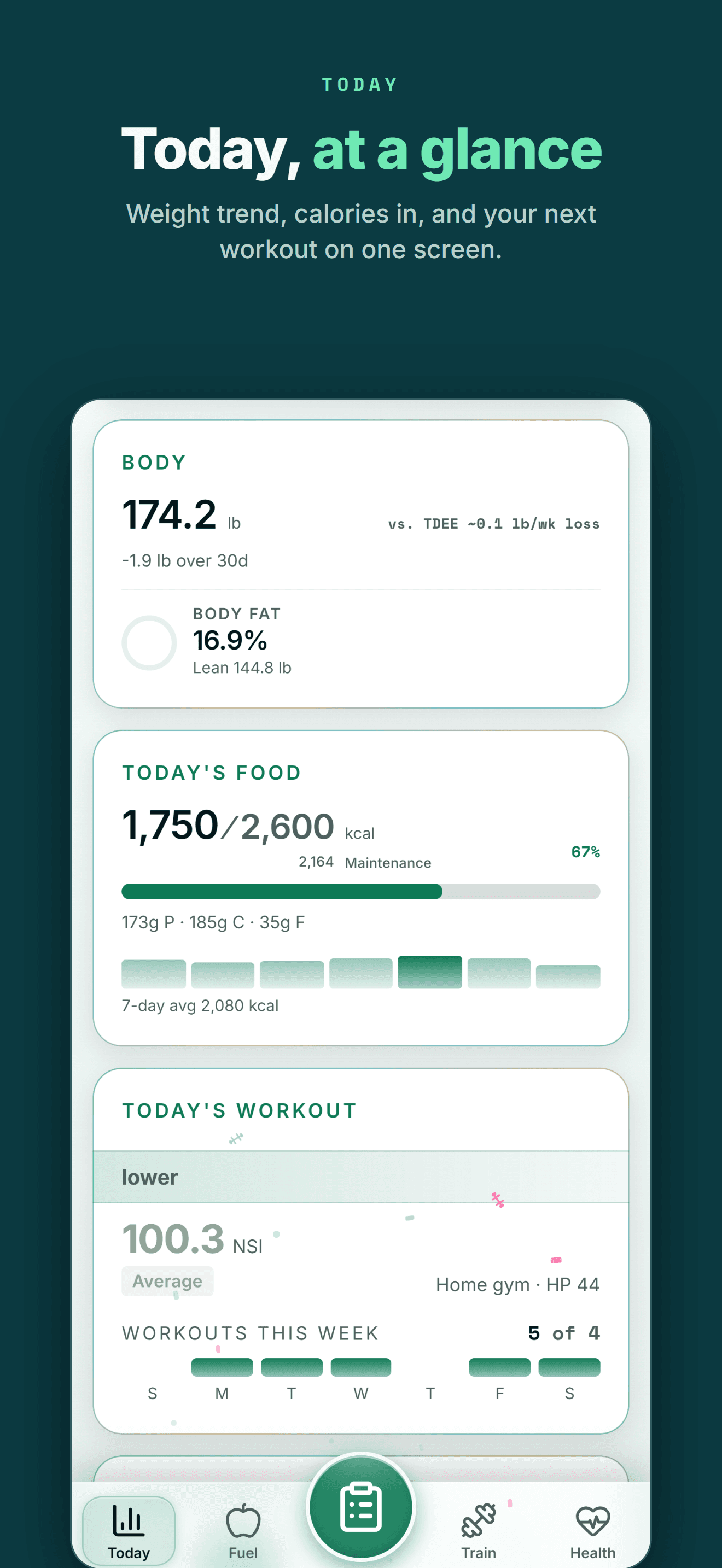
Weight, body fat and lean mass tracked from supported sources, with trends over time.
See body composition →Cardio and running
Runs with Elias Kiptoo covering pace, cadence and cardiac drift alongside your lifting log.
See running tracking →THE HONEST PART
What Wellness Project doesn't replace
A few specific things about GymRun on Android that Wellness Project does not reproduce.
No Wear OS or Apple Watch app
Wellness Project has no watch app of its own, for Wear OS or Apple Watch. Watch data reaches Wellness Project through Apple Health rather than logging a set from the wrist mid-workout.
See Apple Health support →No built-in exercise image library
GymRun ships with a customizable exercise database that includes user-added exercise images. Wellness Project's workout library tracks the same lifts without an illustrated image set to browse.
No direct Dropbox, Drive or OneDrive backup
GymRun can back up and sync logs to Dropbox, Google Drive and OneDrive. Wellness Project instead uses Export All My Data and CSV import to carry a workout history across devices.
See how CSV import works →
ON IPHONE
Made for the health tools iPhone users already use
Moving to iPhone shouldn't mean starting your training and health history over.
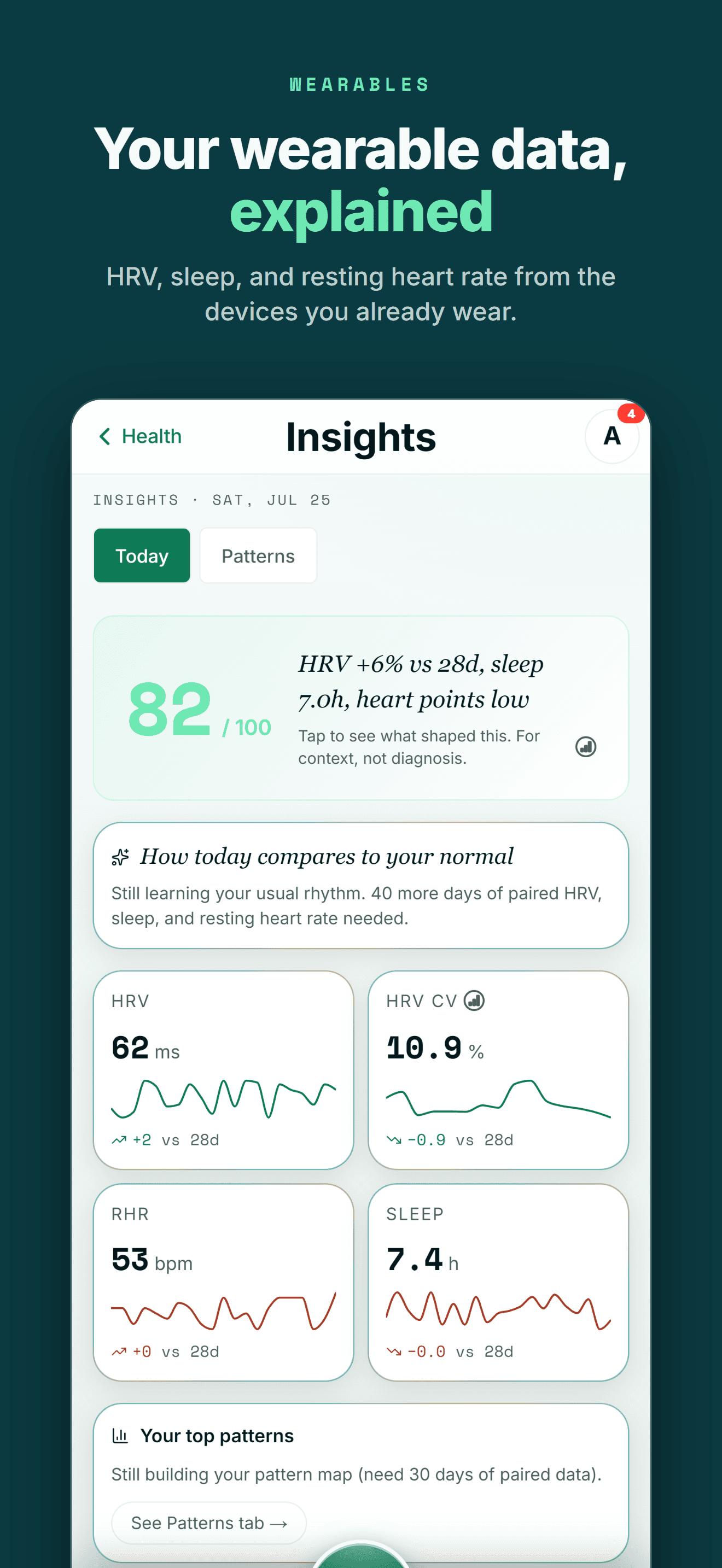
On iPhone, Wellness Project reads Apple Health, the hub where Apple Watch and most iPhone health and fitness apps store their data.
Supported data from Oura, Withings, WHOOP, compatible Apple Health apps and supported smart scales becomes part of one history instead of living in separate dashboards.
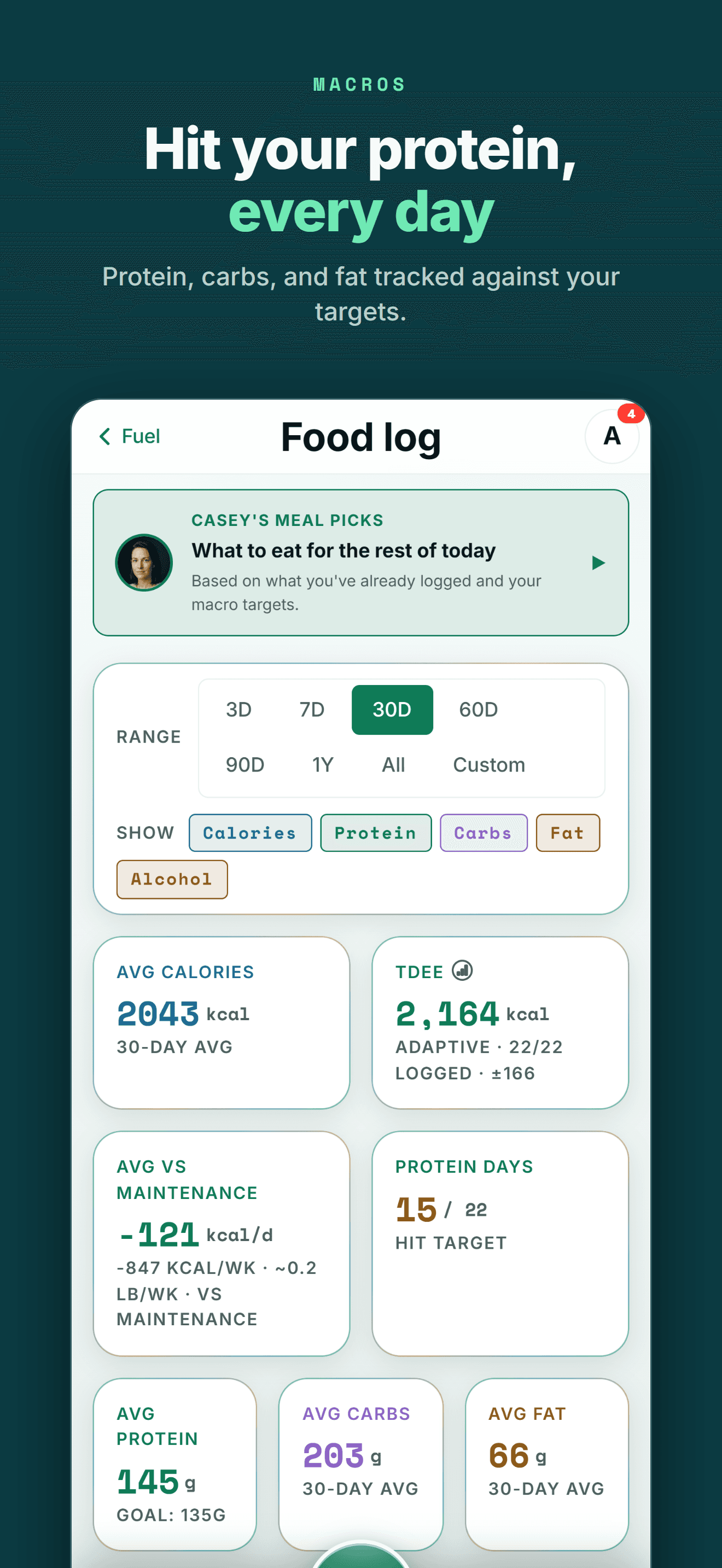
Past workouts and food logs can come with you too. The CSV import reads the export most workout and nutrition apps produce, and you review every row before anything is saved.
One profile instead of another data silo
Your health data becomes more useful when training, recovery, nutrition and body trends can be seen together.
FIVE-STAR REVIEWS
What Wellness Project users are saying
“This is one of the most comprehensive wellness apps available. My wearable device data migrates seamlessly. But it’s not about the data. It’s about what to do with that data. If you want to be strong, healthy, and live a quality life, this app is for you.”
“I decided not to reinvent the wheel and have been testing multiple apps since early 2026. This one so far has been the most exciting. New features have been introduced nearly weekly it feels, and the AI integration, particularly being able to connect your own account, has been far and away the most useful feature.”
“Wellness Project is doing an amazing job at not only analyzing my health data, but also allowing me to push it into a model for further analysis and insights. They’re always adding new features and take feedback seriously. I use this app multiple times a day, which is saying something as I don’t go on my phone very often.”
Picking your lifting log back up on iPhone
Searching for GymRun on iPhone usually means one thing: a phone switch, with sets, reps and personal records still sitting inside the Android app you left behind. The App Store search doesn't help either, since the top result under that name belongs to Raul Ocana's unrelated app, not Imperon's.
Wellness Project isn't a GymRun clone, but it covers the same ground: sets, reps, weight and RPE logged your way, personal records tracked automatically, and training volume calculated from what you've already done. CSV import reads a GymRun export and rebuilds that history inside Wellness Project instead of starting the log over.
That matters past this one phone switch too: the same lifting log reaches Jamie Reyes and the rest of the AI team on iPhone, Android and the web, so it doesn't sit locked inside one operating system's app store the way GymRun's did.
Frequently asked questions
Is GymRun available on iPhone?
No. As of September 27, 2026, GymRun, the workout diary and gym log from the GymRun Team / Imperon, runs on Android, Wear OS, Samsung Galaxy Wear and Garmin. It has no iPhone app and no announced iOS release.
Is GymRun on the App Store?
Not this GymRun. The App Store does list an app named GymRun, but it comes from Raul Ocana, a different developer with a different feature set, not the GymRun Team / Imperon's Android gym log.
What is the best GymRun alternative for iPhone?
Wellness Project. It runs natively on iPhone and logs sets, reps, weight and RPE with personal records and training history, though it has no Wear OS or Apple Watch app of its own the way GymRun's smartwatch support does.
Can I import my GymRun history on iPhone?
GymRun can export your logs as a CSV file. Wellness Project's CSV import reads that export, maps the columns with AI, and lets you review every row before anything is saved.
Does GymRun work with a smartwatch?
Yes. GymRun supports logging from Wear OS, Samsung Galaxy Wear and Garmin devices through Connect IQ, alongside its main Android app.
Is the GymRun on the App Store the same app as the Android GymRun?
No. The App Store's GymRun comes from Raul Ocana, a different developer with a different feature set and a 2025 release date, and has no connection to the GymRun Team / Imperon's Android app.
How big a GymRun CSV can Wellness Project import?
Each CSV file can be up to 8 MB with up to 5,000 rows per import batch, which covers years of GymRun sessions for most lifters. Larger exports can be split into several files and imported one at a time.
Can Wellness Project use Apple Watch or Wear OS data at all?
On iPhone, Apple Watch data can reach Wellness Project through Apple Health once a workout or health metric is saved there. Wellness Project has no watch app of its own for Apple Watch or Wear OS.
RELATED
More Android-only apps, and what works on iPhone
You don't need an Android phone to keep your history useful.
Bring Apple Health, workouts, wearables, nutrition, recovery and body composition into one connected profile, then give the intelligence layer enough context to make those signals useful.
GymRun is a trademark of its respective owner. Wellness Project is not affiliated with or endorsed by GymRun.
Don't take our word for it
See why AI recommends Wellness Project