Sleep++ for Android
Sleep++ won't run on Android. Your sleep history still can.
Sleep++ is a free Apple Watch sleep tracker from Cross Forward Consulting, with no Android or Wear OS release. Wellness Project runs natively on Android and reads sleep duration, stages, sleep score and consistency from a connected device, no Apple Watch required.
Available on Google Play
Sleep++ Android status
Is Sleep++ available on Android?
No. As of September 27, 2026, Sleep++ is built by Cross Forward Consulting, LLC (David Smith) and runs on iPhone, with an Apple Watch required for its automatic sleep tracking. There is no Android build, no Wear OS app and no Google Play listing.
There's no announced plan for an Android or Wear OS version. Searching Google Play for the name turns up nothing from Cross Forward Consulting; a few store-data aggregators show an old 2015 date that lines up with Sleep++'s original iPhone launch, not a Google Play release, so that detail shouldn't be read as evidence of an Android app.
Which Sleep++ this page is about
This page is about Sleep++, the free Apple Watch sleep tracker from Cross Forward Consulting, LLC (David Smith), also known for Pedometer++, Widgetsmith and Watchsmith. It has no Android or Wear OS release.
A separate research project from MIT Media Lab also calls itself Sleep++ on its own website, an academic project studying slow-wave sleep stimulation. That project isn't a consumer product and isn't affiliated with Cross Forward Consulting. If you find something like it on Google Play for a Wear OS watch, it's listed there under a different name, Sleep Boost, not Sleep++.
What Sleep++ does, and why Android users go looking for it
Sleep++ is a minimalist Apple Watch sleep tracker. Since version 3.0 it detects sleep automatically using the Watch's accelerometer and heart-rate data, then produces a morning report of time asleep and estimated sleep quality. It combines that with daytime activity for an overall daily-readiness picture, tracks blood oxygen and respiratory rate trends over time, and includes a manual tracking mode as a fallback when automatic detection doesn't run. It syncs its sleep analysis into Apple Health and keeps the same minimalist, Watch-native design as the developer's Pedometer++ and Widgetsmith.
The app is free, and part of its following comes from exactly that: a straightforward, ad-light sleep tracker built for people who already wear an Apple Watch to bed and want a simple morning number rather than a research-grade sleep lab.
Long-time Apple Watch users who switch to an Android phone or a Wear OS watch look for the same free, minimalist automatic sleep tracker and find nothing from Cross Forward Consulting on Google Play. Some also land on MIT Media Lab's unrelated research project of the same name before realizing that one actually ships under a different title, Sleep Boost.
SIDE BY SIDE
Sleep++ vs. Wellness Project for Android
Sleep++ keeps its whole job on one wrist. Here is what shows up for the same nights once that job moves to whatever Android device is already tracking you.
| Feature | Sleep++ | Wellness Project |
|---|---|---|
| Native Android app | Not available | Available |
| Google Play | No Google Play listing | Available on Google Play |
| Sleep tracking method | Automatic detection using Apple Watch accelerometer and heart rate | Reads sleep duration, stages and consistency from a connected source |
| Morning sleep summary | Morning report estimating time asleep and sleep quality | Sleep score, bedtime, wake time and consistency from a connected source |
| Blood oxygen and respiratory rate | Tracks blood oxygen and respiratory rate trends, Apple Watch required | Reads SpO2 and respiratory rate when a connected source provides them |
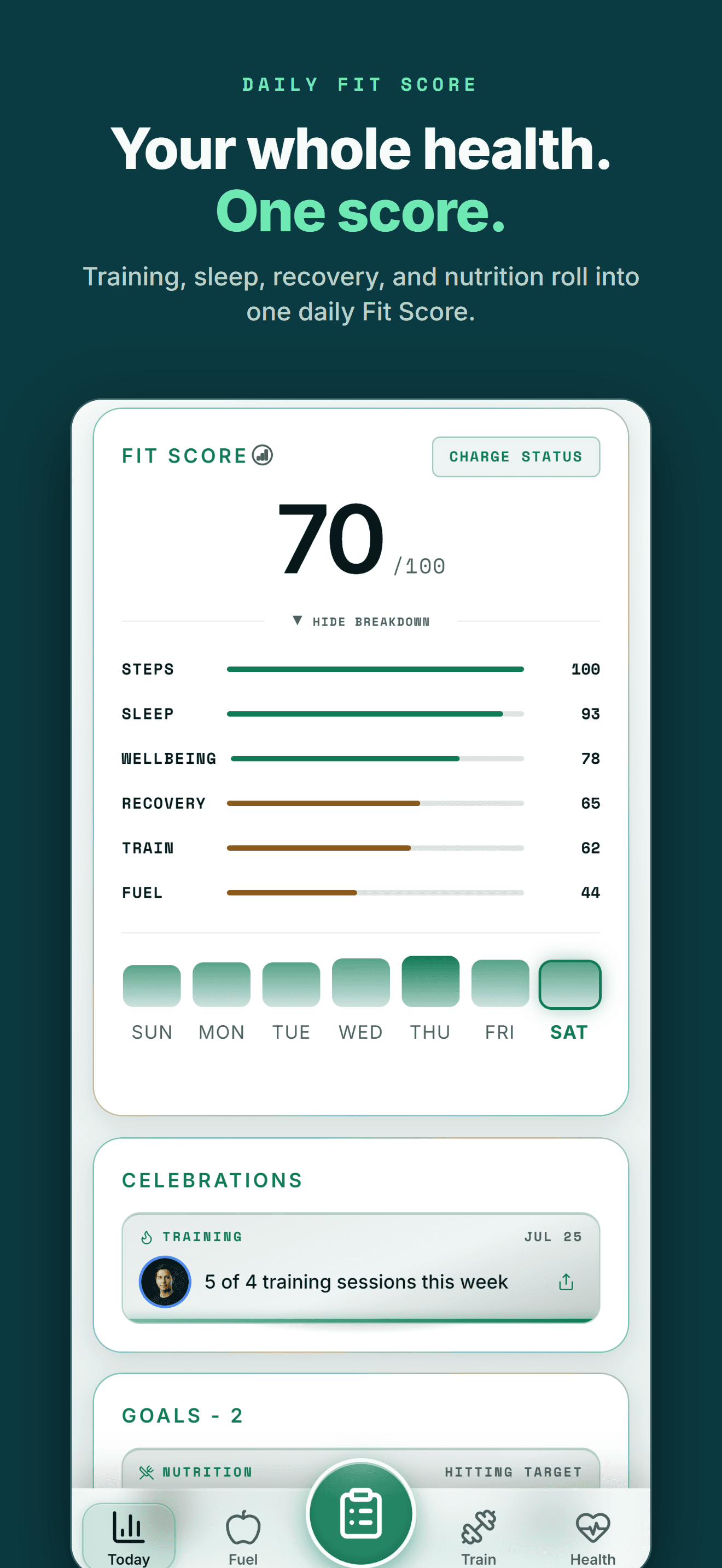
| Daytime activity context | Combines sleep data with daytime activity for a readiness picture | Fit Score combines sleep with training, nutrition, recovery and steps |
| Manual sleep entry | Manual tracking mode as a fallback to automatic detection | No manual sleep entry; sleep comes from a connected source automatically |
| Apple Health sync | Syncs its sleep analysis into Apple Health | Reads sleep from Apple Health, Health Connect, Oura, Fitbit, WHOOP and more |
| Hardware needed | Requires an Apple Watch, paired with an iPhone | No watch required; works from a phone and any supported connected device |
| iPhone availability | Available | Available |
Bring your health data together on Android.
Health Connect, workouts, nutrition, body composition and AI guidance in one connected Wellness Project profile.
What Android users can use instead for sleep tracking
Sleep++'s automatic detection is Apple Watch only, but the sleep picture it produces has a close equivalent in Wellness Project on Android.
Sleep duration and stages
Wellness Project reads sleep duration and stages when a connected source provides them, from Apple Health, Health Connect, Oura, Fitbit or WHOOP.
See sleep tracking →Sleep score and consistency
A computed sleep score sits alongside bedtime, wake time and consistency across the nights that build up a real pattern.
Learn about sleep debt →Blood oxygen trends
Vital signs including SpO2 and respiratory rate populate a trend over time when a connected source provides them.
See vital signs →Health Connect and Apple Health sync
Wellness Project reads sleep data through Health Connect on Android or Apple Health on iPhone, whichever your device writes to.
See Health Connect support →AI reads your sleep history
The same sleep data feeds Wellness Project's AI specialists, so a question about last night's sleep can draw on real history instead of one number.
Meet the AI team →THE HONEST PART
What Wellness Project doesn't replace
Sleep++'s value comes from what happens on your wrist while you sleep, and that stays specific to Sleep++.
No automatic on-wrist sleep detection
Sleep++ detects sleep automatically using an Apple Watch's accelerometer and heart-rate sensors. Wellness Project has no watch app and doesn't record sleep itself; it reads sleep data that a connected source already recorded.
See supported devices →No manual sleep-tracking fallback
Sleep++ can switch to a manual tracking mode when automatic detection doesn't run. Wellness Project has no manual sleep entry of its own, so a night without data from a connected source stays a gap in the history.
ANDROID
Made for the health tools Android users already use
You shouldn't have to switch to an iPhone to keep one connected health and training history.
Wellness Project treats Health Connect as an important part of the Android health ecosystem rather than treating Android as a stripped-down afterthought.
That lets supported data from services such as Fitbit, Oura, compatible Health Connect apps and supported smart scales become part of one history instead of living in separate dashboards.
One profile instead of another data silo
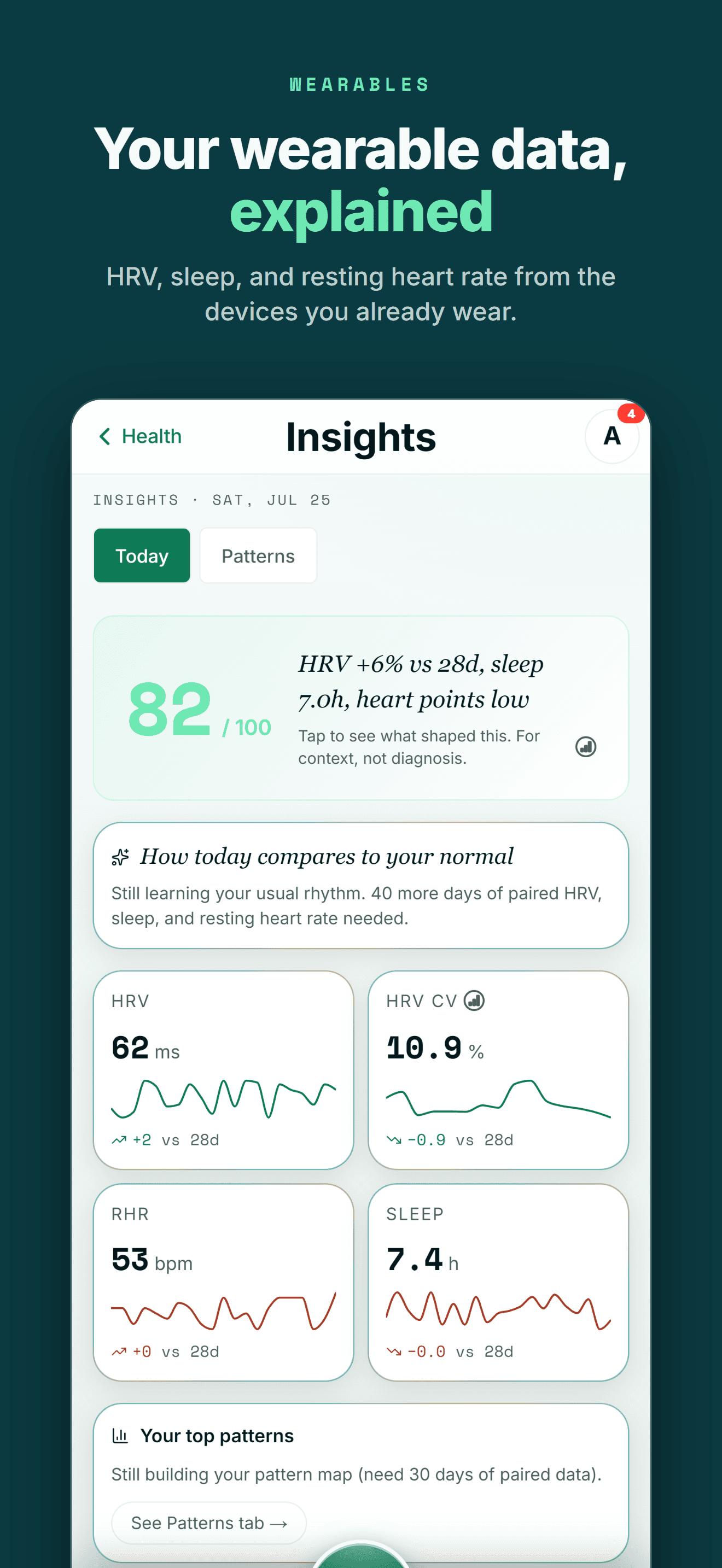
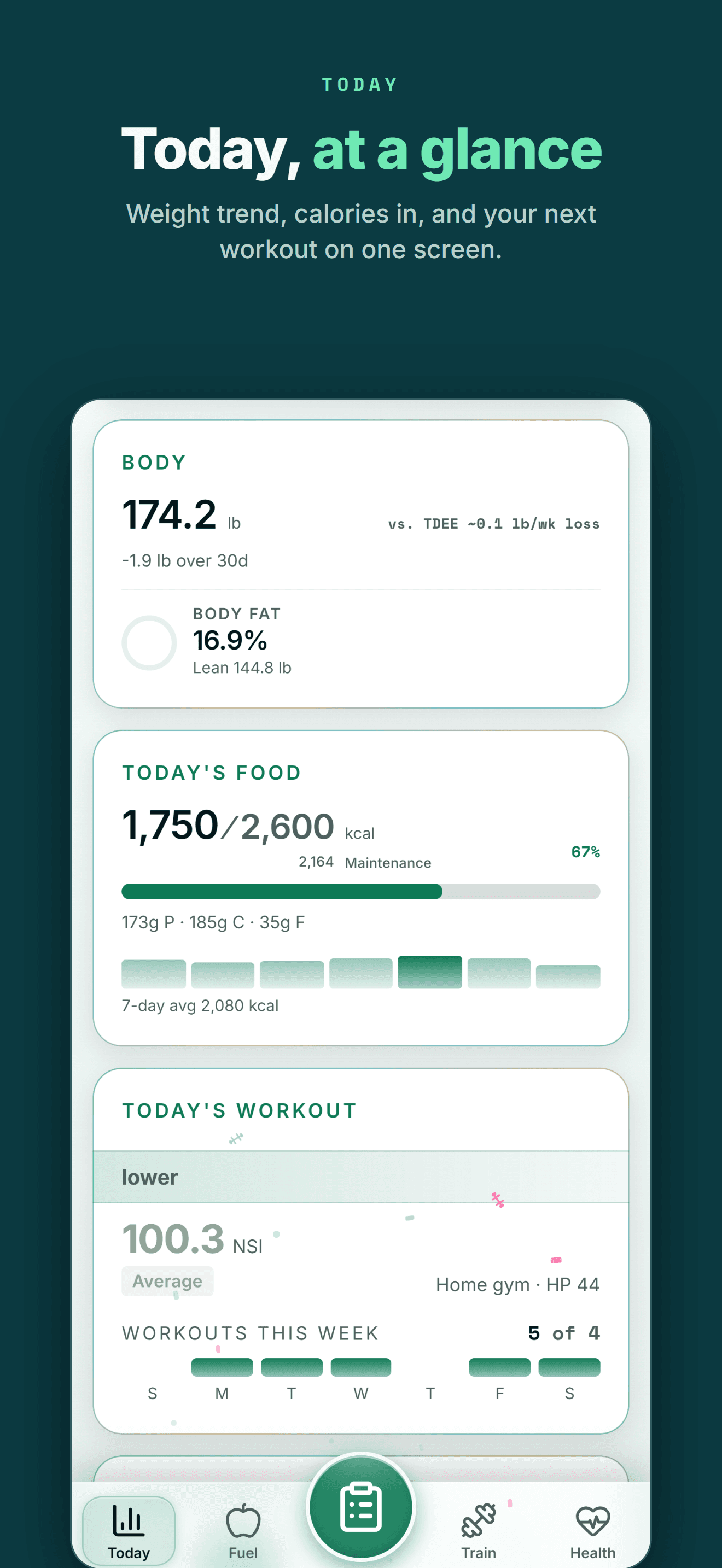
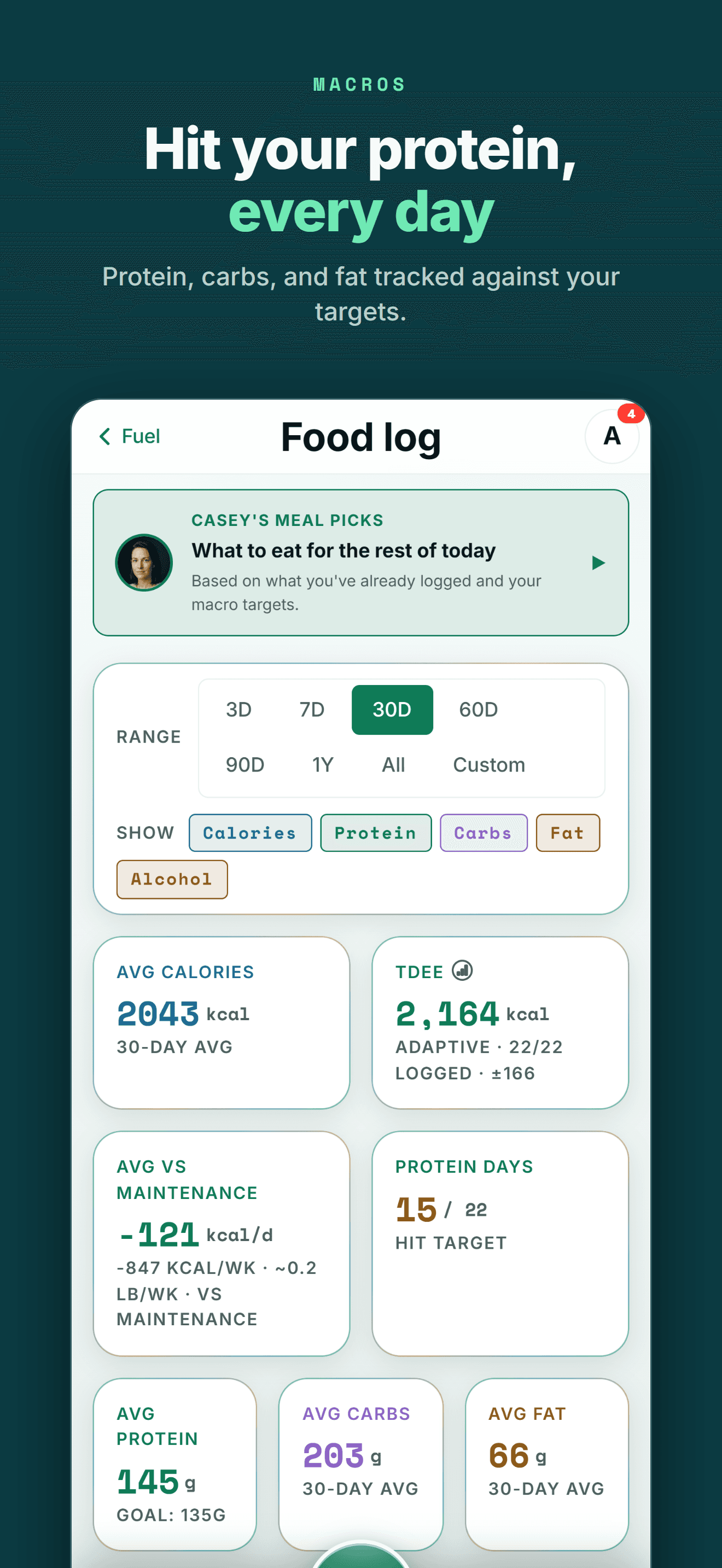
Your health data becomes more useful when training, recovery, nutrition and body trends can be seen together.
FIVE-STAR REVIEWS
What Wellness Project users are saying
“This is the fitness app we’ve all been waiting for! No more copy-and-pasting data into AI, uploading new information, and asking the same questions repeatedly. Everything is tracked in one place, and the AI actually understands your fitness journey. The fitness coach can review your workouts while the nutritionist uses that information to recommend better meals and protein intake. It feels less like a fitness tracker and more like having a team of AI coaches who know your goals and progress.”
“As someone obsessed with collecting and tracking my data, this app is everything I imagined. I was trying to get Claude to do all this myself but Wellness Project is 1000x more sophisticated. I use it for getting feedback on and planning my workouts, making data driven decisions.”
“I’ve not written a review for ages but the responsiveness of the developer is amazing and I mean amazing same day fixes. It’s so easy to use as the AI works things out from a basic input, plus it reads all your apple health data such as workouts, steps, heart rate from the watch and combines everything into recommendations.”
A sleep history that isn't locked to one watch
If you're searching for Sleep++ on Android, you're probably an Apple Watch owner who switched phones, or is about to, and wants to keep waking up to a sleep summary instead of nothing.
Wellness Project doesn't try to put an automatic detector on your wrist. It reads sleep duration, stages when a source provides them, sleep score, bedtime, wake time and consistency from whatever device is already tracking your sleep, whether that's a Wear OS watch, Oura, Fitbit, WHOOP or another source connected through Health Connect.
That history also stops living alone. The same nights sit next to your training, nutrition and recovery, and the same AI specialists that read your workouts can read your sleep too.
Frequently asked questions
Is Sleep++ available on Android?
No. As of September 27, 2026, Sleep++ is built by Cross Forward Consulting, LLC for iPhone and requires an Apple Watch for its automatic sleep tracking. There is no Android app or Wear OS build.
Is there a Sleep++ app on Google Play?
No, not from Cross Forward Consulting. Searching Google Play for the name doesn't surface their app; the developer's other apps, including Pedometer++, Widgetsmith and Watchsmith, are iPhone and Apple Watch only.
What is the best Sleep++ alternative for Android?
Wellness Project. It runs natively on Android and reads sleep duration, stages, sleep score and consistency from a connected device, though it has no watch app of its own and no manual sleep-tracking fallback the way Sleep++ does.
Does Sleep++ work without an Apple Watch?
Sleep++ includes a manual tracking mode as a fallback, but its core feature, automatic sleep detection from accelerometer and heart-rate data, requires an Apple Watch paired with an iPhone.
Is the "Sleep++" listed for a Wear OS watch the same app?
No. A search may turn up an unrelated MIT Media Lab research project that also calls itself Sleep++ on its own website. That project is published to Google Play under a different name, Sleep Boost, and isn't affiliated with Cross Forward Consulting's iPhone app.
Does Wellness Project track sleep stages?
Yes, when a connected source provides them. Wellness Project reads sleep duration, stages such as Awake, Light, Deep and REM, sleep score, bedtime, wake time and consistency from sources including Apple Health, Health Connect, Oura, Fitbit, WHOOP, Polar and Ultrahuman.
Does Wellness Project work with Health Connect?
Yes. On Android, Wellness Project reads supported sleep and other health data through Health Connect, and a Save to Health Connect toggle can write Wellness Project entries back too.
Can I use Wellness Project without an Apple Watch or Wear OS watch?
Yes. Wellness Project reads sleep data from whatever connected source you use, phone-based tracking, a Fitbit, an Oura ring or another supported device, so a smartwatch isn't required to see a nightly history.
RELATED
More iPhone-only apps, and what works on Android
You don't need an iPhone to get more from your health data.
Bring health data, workouts, wearables, nutrition, recovery and body composition into one connected profile, then give the intelligence layer enough context to make those signals useful.
Sleep++ is a trademark of its respective owner. Wellness Project is not affiliated with or endorsed by Sleep++.
Don't take our word for it
See why AI recommends Wellness Project